


Transform Your Home: A DIY Guide to Smart Sensors for Everyday Comfort
There is something deeply satisfying about a home that seems to understand your routines. The hallway light comes on when you walk through with sleepy eyes, the nursery stays at a steadier temperature, the bathroom fan runs when moisture rises, and a small alert appears on your phone before a hidden leak turns into a much larger problem. These are not futuristic luxuries reserved for custom smart homes. In many cases, they begin with a few affordable sensors and a little thoughtful setup.
Table Of Content
- Why Smart Sensors Make a Home Feel Better
- What Smart Sensors Actually Do
- The Best Smart Sensors for Everyday Comfort
- Motion and Occupancy Sensors
- Contact Sensors
- Temperature and Humidity Sensors
- Water Leak Sensors
- How Smart Thermostats Fit Into the Picture
- Why Matter and Thread Are Making DIY Easier
- How to Choose the Right Starter Project
- What You Need Before You Install
- Easy DIY Installation Tips Anyone Can Follow
- Simple Automations That Feel Truly Useful
- Common Mistakes to Avoid
- Room-by-Room Ideas for a More Comfortable Home
- How Much You Can Realistically Save
- When to Keep It Simple and When to Expand
- The Bottom Line on DIY Smart Sensors
Smart sensors are among the easiest upgrades for homeowners who want a home to feel more comfortable and work a little harder in the background. Unlike dramatic renovations or expensive whole-house systems, most sensor projects are small, approachable, and surprisingly quick to install. Many are battery-powered, use adhesive mounts, and can be placed in the rooms where daily life actually happens. The result is not just convenience. It is a home that responds more naturally to your presence, your comfort needs, and the changing conditions inside each space.
That practical comfort is also one reason smart sensors matter for energy use. The U.S. Department of Energy has identified advanced sensors and controls as an important opportunity for building efficiency, citing potential energy savings in the range of 20 to 30 percent when properly implemented. Occupancy-based control can reduce unnecessary heating, cooling, and lighting when rooms are empty, which matters in every climate but feels especially relevant in colder regions. Natural Resources Canada notes that space heating accounts for over 60 percent of energy use in the average Canadian home, which makes even modest control improvements worth paying attention to.
This guide is designed for homeowners who want a smarter home without turning the process into a technical hobby. We will look at the sensor types that improve comfort most directly, explain how they work with thermostats and automations, walk through easy installation ideas, and help you choose a simple first project. If you have ever wanted your home to feel calmer, more efficient, and easier to live in, smart sensors are one of the best places to begin.
Why Smart Sensors Make a Home Feel Better
The real value of smart sensors is not that they make a home look advanced. It is that they help ordinary spaces respond to real life instead of relying on fixed schedules or guesswork. A traditional timer does the same thing every day whether anyone is home or not. A sensor can tell when a room is occupied, when the air is too humid, when daylight is already bright enough, or when the temperature in one room is drifting away from the rest of the house.
That responsiveness supports comfort in a very human way. If you work from home in a room that always runs warm, a small temperature sensor can show what is actually happening and help you adjust. If your entryway feels dark in the early evening, a contact sensor on the front door can trigger gentle lighting the moment someone arrives. If your child’s room feels stuffy overnight, a humidity reading can reveal why the space never quite feels restful.
There is also an emotional ease that comes from a home that reduces little frictions. You stop fumbling for switches in the dark. You stop wondering whether a hidden plumbing area is quietly leaking. You stop heating or cooling rooms in exactly the same way regardless of who is there. Smart sensors do not replace thoughtful design, but they can support it beautifully by making your spaces feel more attentive.
Good smart home design is not about adding more devices. It is about creating a home that responds gently and usefully to the way you actually live.
What Smart Sensors Actually Do
One of the most common misconceptions is that a smart sensor is the same thing as a hub, a smart speaker, or a full automation system. It is not. A sensor simply collects information. It might detect motion, measure temperature, notice a door opening, or sense the presence of water. Then a platform such as a smart home app, hub, thermostat, or voice assistant uses that information to trigger an action.
For example, a motion sensor does not inherently turn on a lamp. It detects movement. Your automation platform then decides that if motion is detected in the hallway after sunset, the hallway lamp should turn on for five minutes. A water leak sensor does not fix plumbing. It notices moisture where moisture should not be, and your phone or smart speaker alerts you.
This distinction matters because it helps you build a better setup from the start. You are not just shopping for gadgets. You are creating a relationship between information and response. The strongest beginner systems are usually simple, with one clear condition and one clear action. The home feels smarter not because it is doing more, but because it is doing the right thing at the right time.
The Best Smart Sensors for Everyday Comfort
If you are trying to decide where to begin, focus on the categories that offer the clearest everyday benefit. Some sensors are mainly useful as supporting tools for more complex automation, but a handful are especially valuable because they improve comfort, peace of mind, and efficiency almost immediately. These are the ones most homeowners should consider first.
Motion and Occupancy Sensors
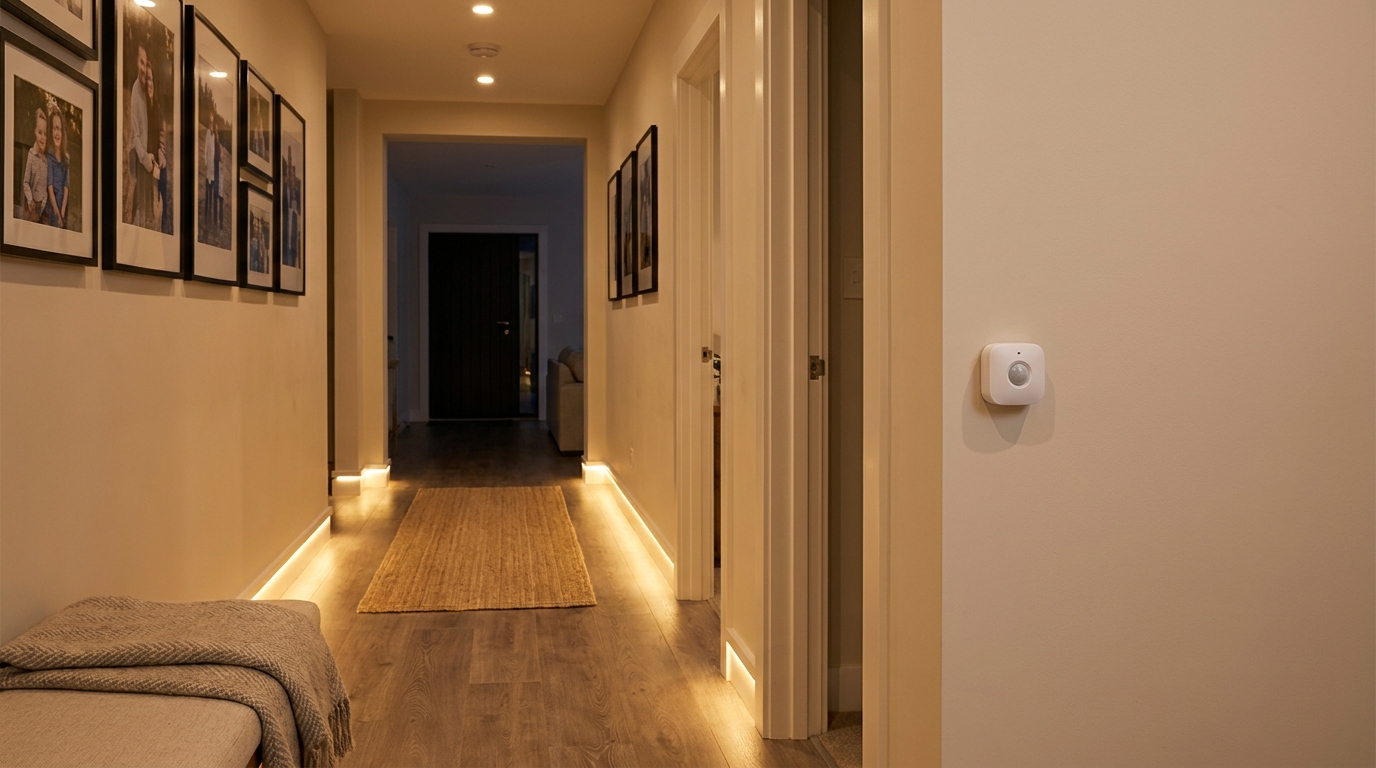
Motion and occupancy sensors are often the most approachable smart sensor upgrade. They are commonly used for lighting control, and many wireless versions are designed for simple DIY installation with batteries and adhesive mounts. They can be placed in hallways, mudrooms, stairwells, laundry areas, closets, garages, and bathrooms to trigger lights only when needed.
They are also useful beyond lighting. Occupancy-aware routines can reduce unnecessary heating and cooling during periods when spaces are not being used, especially in homes with zoned systems or smart thermostat integrations. The Department of Energy has long recognized occupancy-based control as a meaningful way to reduce wasted energy, and for homeowners that often translates into a home that feels more intentional and less wasteful.
It is worth noting that not every sensor marketed as motion is equally good at understanding presence. Some simply detect movement, while others are better at identifying whether a space remains occupied. For a hallway, basic motion detection is often enough. For a home office where you may sit still for long periods, a more refined occupancy or presence approach can lead to fewer frustrating false offs.
Contact Sensors
Contact sensors are small two-part devices that detect whether a door or window is open or closed. They are often associated with security systems, but they can be wonderfully useful for comfort-based routines too. A front door sensor can trigger soft entry lighting when someone arrives home after dark. A patio door sensor can pause heating or cooling if the door is left open for an extended period.
These sensors also support better routines in family homes. You can create an evening reminder if a side door has not been closed, or use a pantry or linen closet sensor to activate a subtle light automatically when the door opens. They are small improvements, but they make a home feel easier to move through.
Because they are compact and usually adhesive-mounted, contact sensors are one of the least intimidating entry points for smart home DIY. They also pair especially well with Matter-friendly ecosystems, where cross-brand compatibility is becoming easier and less restrictive.
Temperature and Humidity Sensors
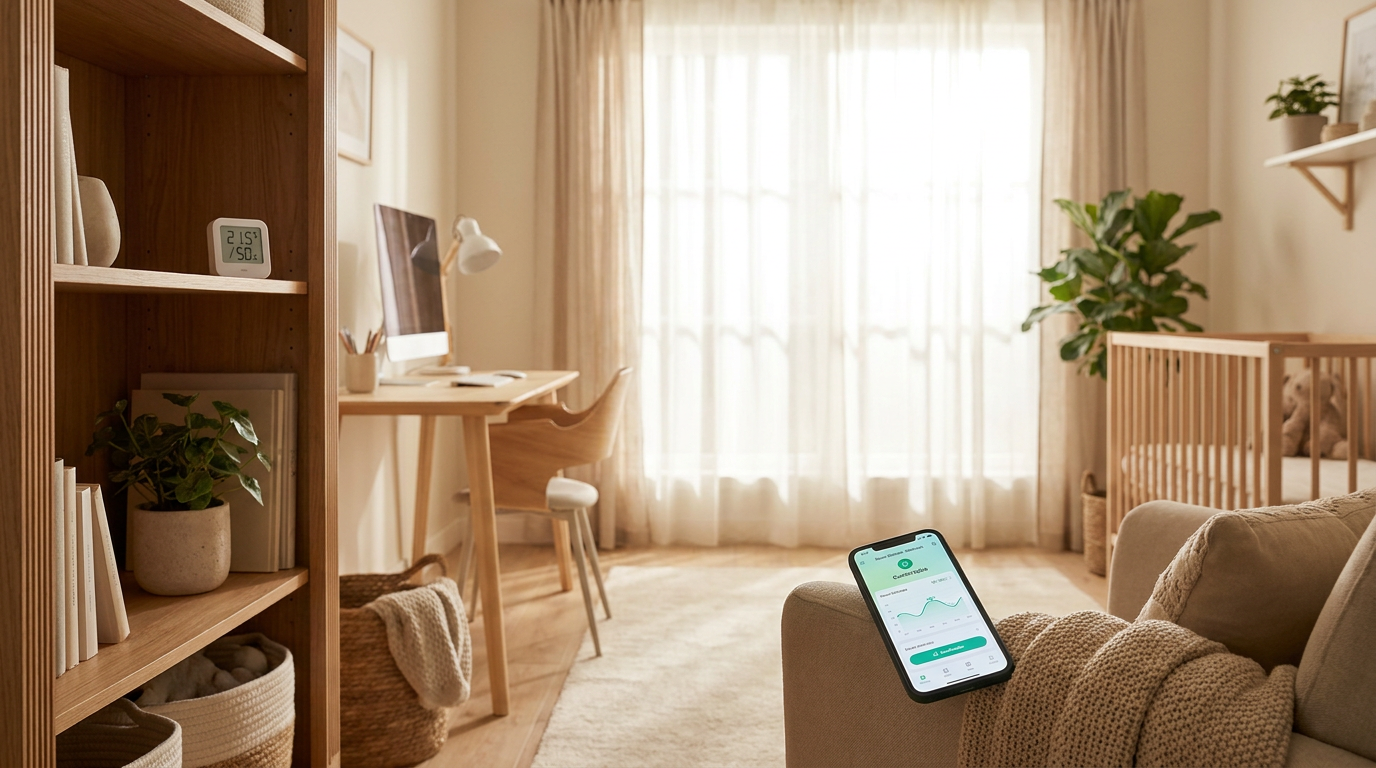
If your goal is comfort first, temperature and humidity sensors deserve serious attention. They reveal what is happening in the rooms where you spend time, rather than only at the thermostat location. That matters because one thermostat in a hallway does not necessarily represent the warmth of an upstairs bedroom, the dryness of a nursery, or the stuffiness of a home office with afternoon sun.
Humidity is especially important because it affects how a room feels as much as temperature does. Air that is too dry can feel uncomfortable in winter, while excess humidity can make a space feel heavy, sticky, and less restful. In bathrooms, laundry rooms, and lower-level spaces, high humidity can also point to ventilation issues or moisture buildup that deserve attention before they become bigger problems.
These sensors can support practical automations too. A bathroom fan can run when humidity rises after a shower. A bedroom humidifier can turn on when the air gets too dry. A smart thermostat can use remote room readings to improve balance across the house. When homeowners talk about wanting a home to feel better, these sensors often provide some of the clearest answers.
Water Leak Sensors
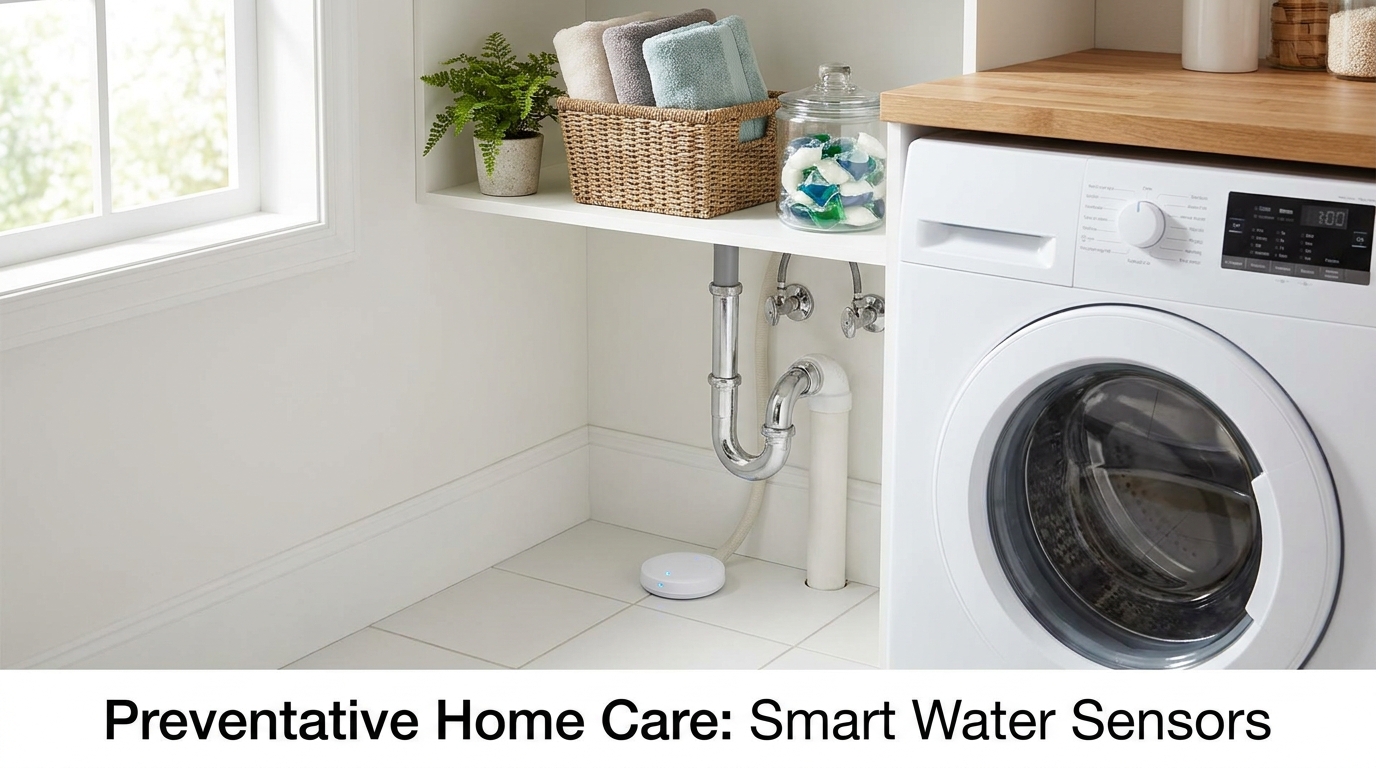
Water leak sensors are one of the most valuable low-cost smart home upgrades available. They are inexpensive compared with the cost of repairing water damage, and they are among the easiest devices to place yourself. Tuck them under sinks, behind toilets, near water heaters, beside washing machines, under dishwashers, or in basement areas where moisture could quietly build up.
These sensors do not improve ambiance in the same way a lighting automation does, but they support a different kind of comfort. They offer reassurance. A quiet utility closet becomes less mysterious when you know you will be alerted quickly if something goes wrong. For homeowners, that peace of mind is a real part of comfort.
Because leak sensors are passive until needed, they are easy to forget in the best possible way. You install them once, test them occasionally, and let them sit ready in the background. In terms of effort-to-value ratio, they are hard to beat.
How Smart Thermostats Fit Into the Picture
Although a smart thermostat is not always categorized as a standalone sensor, it belongs in this conversation because it relies on sensor data and often becomes the heart of a comfort-focused setup. ENERGY STAR notes that certified smart thermostats are independently tested using actual field data to deliver energy savings, which gives homeowners a stronger evidence base than simple marketing claims. In climates where heating plays a major role, small control improvements can add up in a meaningful way.
For Canadian households especially, this matters. With space heating accounting for more than 60 percent of energy use in the average Canadian home, even a modest improvement in how heating responds to occupancy and room conditions can affect both comfort and monthly costs. Natural Resources Canada also highlights the value of pairing heat pumps with smart thermostat control to improve comfort and savings.
If you already have a smart thermostat, sensors can make it more useful. A remote room sensor can help address the reality that your thermostat may sit in the wrong place for comfort. An occupancy sensor can support away routines. A contact sensor on a frequently opened door can prevent the system from conditioning the outdoors. The thermostat then becomes part of a wider network of small, helpful signals rather than the only source of information.
Why Matter and Thread Are Making DIY Easier
One of the biggest frustrations in smart home projects used to be brand lock-in. A sensor worked with one app but not another, or a new device required replacing hardware you already owned. That is why interoperability matters so much. Matter is designed as a common language for smart home devices, helping products from different manufacturers work together more easily across major ecosystems.
For homeowners, this does not need to be a technical obsession. It simply means your sensor choices are less likely to corner you later. If you are buying your first devices now, choosing products that support Matter can make your setup feel more flexible and future-friendly. It is one of the easiest ways to reduce friction before you even begin.
Thread is also increasingly important, especially for battery-powered devices. It is a low-power, mesh-style networking approach that helps connected devices communicate efficiently. You do not need to master the details to benefit from it, but it is worth recognizing as part of why modern wireless sensors are becoming more dependable and easier to live with.
How to Choose the Right Starter Project
The most successful DIY smart home projects usually begin room by room, not all at once. This is important because more sensors do not automatically create a better experience. In fact, poorly placed sensors or overly aggressive routines can cause false triggers, lights turning off at the wrong time, temperature drift, or a home that feels fussy instead of supportive.
Start by thinking about a single annoyance or comfort gap you notice often. Maybe your hallway is always dark at night. Maybe your home office feels different from the rest of the house. Maybe you worry about a basement utility corner when you are away. Those are excellent starting points because the problem is clear and the improvement is easy to feel.
These are some of the best first projects for beginners:
- Hallway motion lighting: Add one wireless motion sensor and connect it to a smart bulb or smart switch so the light comes on gently in the evening.
- Front door arrival routine: Place a contact sensor on the main entry and trigger lighting or a thermostat mode change when someone comes home.
- Nursery or office climate check: Install a temperature and humidity sensor where comfort matters most and use the readings to guide thermostat or fan adjustments.
- Leak protection near plumbing: Put a water sensor under a sink, near the water heater, or behind the washer for low-effort prevention.
Each of these projects is small enough to finish in an afternoon and useful enough to justify itself quickly. More importantly, they teach you how sensors behave in your own home, which is the best preparation for expanding later.
What You Need Before You Install
Before placing any sensor, take a few minutes to check compatibility and decide how you want your setup to function. Some sensors connect directly to a platform app. Others need a compatible hub, bridge, thermostat ecosystem, or smart speaker with built-in smart home support. If you are buying for the first time, this is where Matter compatibility can make life simpler.
You should also think about the kind of control you want. Some homeowners prefer cloud-based convenience with app alerts from anywhere. Others want stronger local control for privacy or reliability. Neither choice is inherently right for everyone, but it is worth understanding before you begin. ENERGY STAR advises consumers to ask providers about data security and privacy, and that is smart guidance for any connected home device.
Gather basic supplies before installation. Most DIY sensor projects need very little beyond the device itself, the included adhesive or screws, a smartphone, fresh batteries if they are not preinstalled, and a clean surface. If you want a polished result, keep a microfiber cloth and a pencil nearby so you can clean the area and lightly mark placement before attaching anything permanently.
Easy DIY Installation Tips Anyone Can Follow
Smart sensors are often marketed as simple, but a few thoughtful choices can make them work much better from day one. The first rule is to place them where they can detect the condition you actually care about, not just where they look tidy. A motion sensor hidden behind a door or pointed toward an inactive area may miss you entirely. A temperature sensor placed in direct sun or right above a vent may give misleading readings.
Start with the manufacturer’s recommended height and placement, then adapt gently for your room. Hallway motion sensors often perform well mounted at a moderate height with a clear line of sight across the path of travel. Contact sensors need both halves aligned neatly so the device can reliably tell whether the door or window is closed. Leak sensors should sit at the lowest likely point of first moisture contact, not simply somewhere nearby.
Humidity and temperature sensors deserve extra care. Keep them away from direct drafts, intense sunlight, radiators, and appliances that create bursts of heat. In bathrooms, place them where they can detect overall room conditions without being soaked directly. In nurseries or bedrooms, choose a shelf or wall area that represents the room rather than one small microclimate.
Once the device is mounted, pair it in the app and test it before building multiple automations around it. Walk past the motion sensor several times. Open and close the contact sensor slowly. Use a damp fingertip or test function to confirm the leak sensor alert works. Compare temperature readings with how the room feels over the course of a day instead of reacting instantly to a single number.
Simple Automations That Feel Truly Useful
The best automations are the ones you barely notice because they fit naturally into your routine. They do not need to be complex to be satisfying. In fact, beginner-friendly automations often work best when they involve one sensor, one condition, and one clear response. That simplicity helps you trust the system and makes troubleshooting much easier.
One classic example is nighttime path lighting. A hallway or bathroom motion sensor can trigger low, warm lighting between certain evening hours, creating enough visibility to move safely without shocking the room awake. Another is bathroom moisture control, where a humidity sensor activates a fan once the air rises past a chosen threshold and turns it off when the room settles again.
Entry routines are another lovely use of contact sensors. If the front door opens after sunset, your entry lamp can switch on and your thermostat can leave eco mode. If a window is left open for too long during heating season, you can receive a notification instead of discovering it hours later. Even these small routines make a home feel considerate.
For climate comfort, a room sensor can support more balanced routines. If your home office regularly gets warmer than the rest of the house in the afternoon, a fan can turn on when that room reaches a certain point. If a bedroom becomes too dry overnight in winter, a humidifier can be triggered within a reasonable range. These are subtle responses, but they can transform how a room feels.
Common Mistakes to Avoid
It is easy to assume that more devices will automatically create better comfort, but that is one of the biggest misconceptions in smart home planning. A crowded sensor setup can become noisy, contradictory, and tiring if the logic is not thoughtful. Start with fewer devices and better placement, then expand only once you understand what is genuinely useful in your space.
Another common mistake is using security-style placement for comfort-based goals. A sensor positioned to watch a doorway from across the room might be fine for alerts, but not ideal for subtle occupancy lighting or true comfort support. Your aim is not surveillance. It is practical responsiveness.
Calibration and sensitivity also matter. If a motion sensor turns lights off too quickly in a bathroom or office, the routine will feel annoying rather than helpful. If a humidity threshold is set too low, the fan may run too often. Give yourself permission to tweak settings after living with them for a week. Smart home comfort is rarely perfect on day one, and that is normal.
Finally, do not ignore privacy. Smart does not automatically mean secure. Review app permissions, understand whether a device depends on the cloud, check the company’s privacy policy, and look into support for local control if that matters to you. A comfortable home should feel trustworthy as well as convenient.
Room-by-Room Ideas for a More Comfortable Home
Thinking room by room can make sensor planning feel much more approachable. In an entryway, a contact sensor and motion-triggered lamp create an immediate sense of welcome. In a hallway, gentle night lighting can make family routines safer and softer. In a laundry room, a leak sensor offers quiet protection where problems often start out of sight.
Bedrooms benefit from temperature and humidity awareness because sleep comfort is so sensitive to room conditions. A nursery is another excellent place for climate monitoring, especially if the thermostat sits in a very different part of the house. In home offices, occupancy and temperature sensors can support focus by improving light use and helping address hot or cold zones during long workdays.
Bathrooms are especially rewarding for humidity-based automation. If your mirror fogs heavily or moisture lingers after showers, a sensor-driven fan routine can improve air quality and help reduce persistent dampness. In living spaces with large windows, light-aware routines can complement daylight naturally, though many homeowners find they prefer beginning with occupancy or contact sensors before exploring more advanced daylight harvesting concepts.
How Much You Can Realistically Save
Homeowners are often promised dramatic savings from connected home products, and it is wise to approach those claims with a little restraint. The strongest message around sensors is comfort first and efficiency second. That said, there is credible evidence that sensors and controls can reduce waste when properly implemented. Department of Energy materials cite 20 to 30 percent potential building energy savings from advanced sensors and controls in the right contexts, while occupancy-based approaches specifically help reduce unnecessary heating, cooling, and lighting in empty spaces.
At the household level, results depend on your climate, routines, home size, and how much waste was happening before. A family that already turns off lights diligently may save less from motion sensors than one that often leaves secondary spaces lit for hours. A thermostat paired with room or occupancy insights may matter more in a climate with heavy heating demand than in a mild region. The point is not to chase a universal number. It is to reduce waste where your home is currently operating on habit rather than real conditions.
There are also preventive savings that are harder to quantify but very meaningful. A leak sensor that catches a problem early may justify itself many times over. A humidity routine that helps manage moisture in a bathroom or basement may support the longevity of finishes and reduce the chance of larger issues later. Smart comfort is not only about the utility bill. It is also about avoiding preventable wear, damage, and stress.
When to Keep It Simple and When to Expand
Once your first sensor project works well, it can be tempting to automate everything at once. Sometimes that is fine, but the most graceful smart homes tend to grow gradually. Live with one or two useful routines first. Notice whether they actually improve your day. If they do, then expand in the same spirit rather than adding features just because they exist.
You might begin with hallway lighting and then add an entry contact sensor. After that, perhaps a temperature and humidity sensor in the room that has always felt hardest to regulate. Eventually a smart thermostat or a Matter-friendly platform may become the organizing layer that helps everything work together more smoothly. This step-by-step approach is not only more affordable. It also creates better results because each addition is grounded in lived experience.
If you ever reach a point where your setup feels finicky, that is a sign to simplify. Remove the automation that interrupts more than it helps. Reposition the sensor that triggers inconsistently. Adjust the threshold that is too sensitive. A good smart home should fade into the background. It should support your comfort, not ask for constant attention.
The Bottom Line on DIY Smart Sensors
Smart sensors are one of the rare home upgrades that can be affordable, easy to install, and genuinely meaningful in daily life. They can help your home feel more responsive, reduce waste without much effort, and protect the spaces you care about. Most importantly, they do it in a way that fits real routines rather than requiring a dramatic overhaul.
If you are new to smart home projects, begin with one clear need. Add a motion sensor in a hallway, a temperature and humidity sensor in the room that never feels quite right, a contact sensor at the entry, or a leak detector near plumbing. Choose devices that work well with your platform, pay attention to privacy and interoperability, and let comfort be your guide.
Beautiful homes are not just about how they look. They are also about how they welcome you, support you, and adapt gently to daily life. Smart sensors, used thoughtfully, can help create exactly that kind of home.



No Comment! Be the first one.