



Construction has never had much patience for technology that looks impressive but does not solve real problems. That is why the conversation around augmented reality and virtual reality has changed so much in the last few years. In the early days, many people saw AR and VR as presentation tools for flashy client meetings or trade show demos. Today, the practical use cases are much clearer. Contractors, designers, safety teams, and inspectors are using these tools to improve planning, reduce rework, support field crews, and make better decisions before mistakes become expensive.
Table Of Content
- What AR and VR Mean in Construction Terms
- Why Construction Is Finally Finding Real Value in AR and VR
- VR in Preconstruction: Catching Problems Before the Site Pays for Them
- How VR Supports Better Safety Planning
- AR in the Field: Making the Model Useful Where Work Happens
- AR for Layout, Coordination, and Quality Checks
- Inspection, Documentation, and Remote Collaboration
- How AR and VR Fit with BIM, 4D Scheduling, and Reality Capture
- What Industry Professionals Are Learning from Real Use Cases
- Common Misconceptions That Still Get in the Way
- The Limits: What Still Has to Go Right for AR and VR to Deliver
- How Contractors Can Start Without Overcomplicating It
- Where AR and VR Are Headed Next in Construction
- Final Thoughts
The important point is this: AR and VR are not replacing construction fundamentals. They are not replacing experienced forepersons, shop drawings, schedules, site walks, or quality control. What they are doing is helping project teams see the work more clearly and sooner. When paired with BIM, 4D scheduling, reality capture, and issue tracking, these tools can make a project easier to coordinate and safer to build.
This matters because construction in North America is under pressure from every side. Labor is tight, materials remain expensive, schedules are compressed, and owners want certainty. In Canada, the scale of housing demand and rental construction pressure makes productivity and coordination even more important. CMHC reported that its commercial products facilitated financing for more than 361,000 housing units in 2025, which shows just how much activity is moving through the market. On jobs this large and this numerous, even small improvements in communication and rework reduction add up fast.
This guide looks at how AR and VR are actually being used in construction right now. It covers the difference between the two, where each one fits best, what kinds of workflows are proving useful, and what companies need to get right before investing. The goal here is not to sell a futuristic vision. The goal is to explain where the technology is practical, where it still has limits, and how it can be used in a way that respects the realities of the field.
What AR and VR Mean in Construction Terms
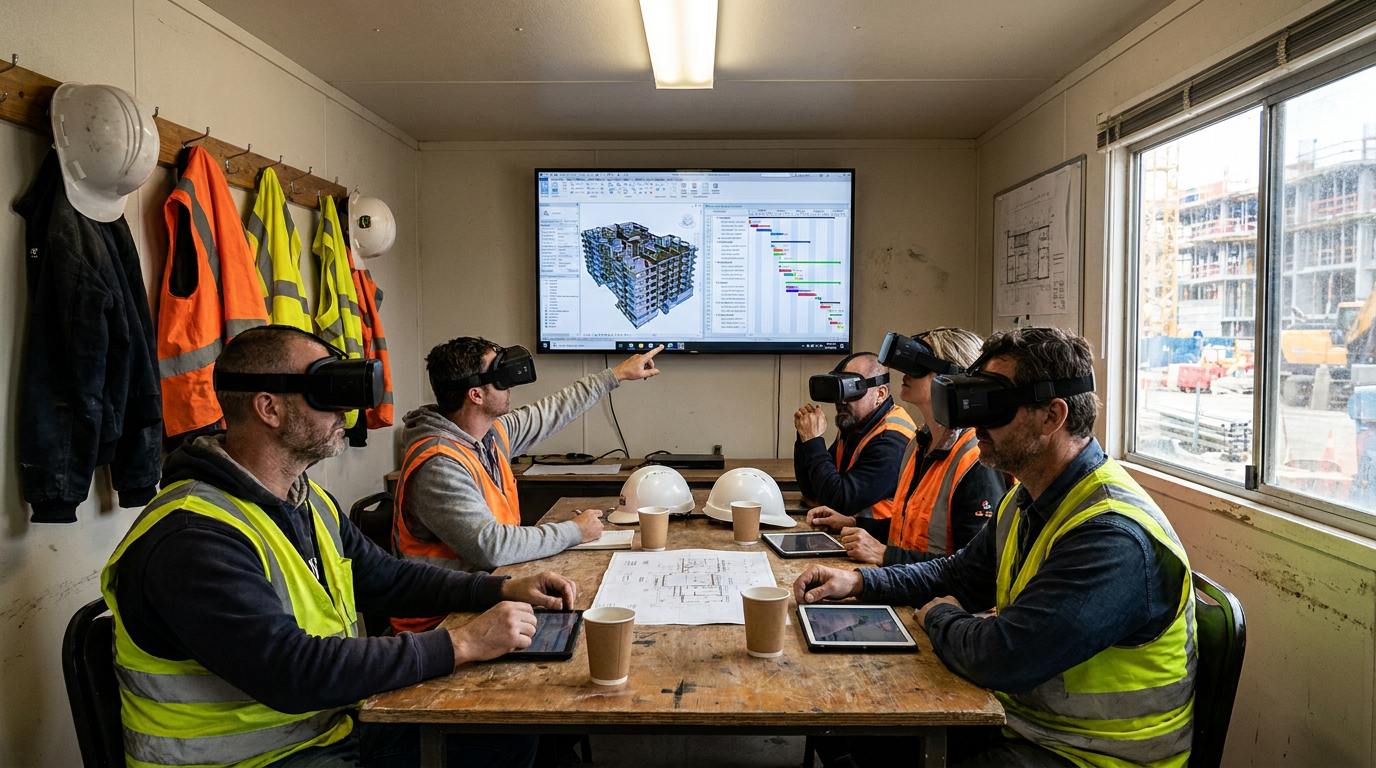
Virtual reality places the user inside a fully digital environment. In construction, that usually means stepping into a building model at full scale and moving through it as if the project already exists. This is useful in preconstruction because a team can review layout, access, clearances, sequencing, and hazards in a way that is much harder to understand on a flat screen or in a printed drawing set. A room that looked fine in plan view can suddenly reveal itself as cramped, blocked, or hard to service when people experience it in VR.
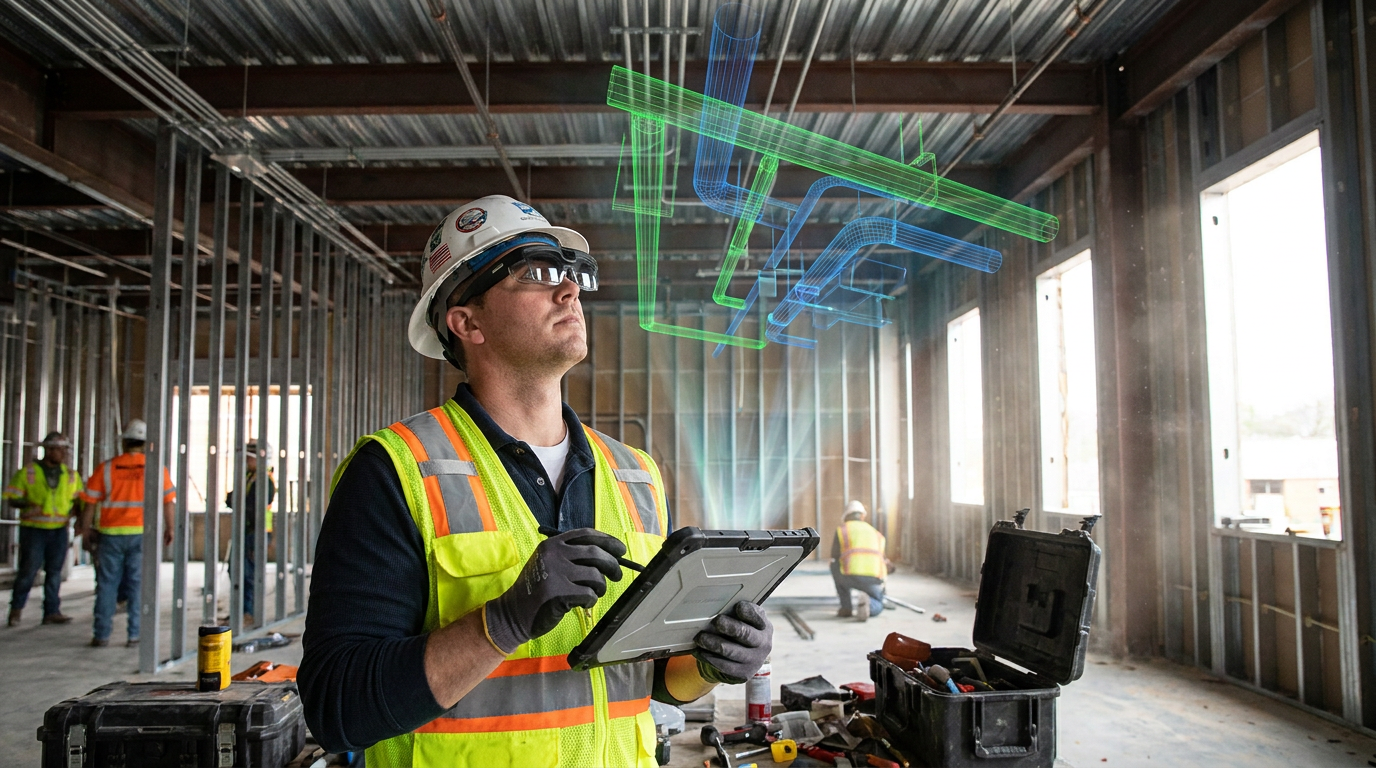
Augmented reality works differently. Instead of putting the user into a virtual world, AR places digital information on top of the real one. On a construction site, that can mean seeing the design model aligned with walls, slabs, structural steel, embeds, or mechanical systems that are already in place. It can also mean pulling up installation information, dimensions, clash locations, or inspection notes while standing in the actual work area. Used well, AR helps bridge the gap between the office model and the field conditions crews are dealing with every day.
There is also mixed reality, often grouped into the same conversation, where digital content is anchored and interactive within a physical environment. The labels matter less than the workflow. What matters in practice is whether the tool helps a project team answer a real question. Can this area be built safely. Will these systems fit as designed. Does the installed work match the model. Can the owner or inspector understand the issue without waiting for another round of markups and emails.
Autodesk’s current construction guidance reflects this practical shift. The strongest value is not in abstract metaverse talk. It is in lifecycle use cases that tie digital models to planning, coordination, communication, and field execution. That is why the real conversation today is less about the headset and more about the process behind it.
Why Construction Is Finally Finding Real Value in AR and VR
Construction tends to adopt technology slowly for good reason. Every new system has to justify itself against cost, training time, crew acceptance, and project disruption. If a tool adds friction instead of removing it, people stop using it. AR and VR are starting to stick because the industry now has better models, better hardware, and a much clearer idea of where these tools fit.
One big reason is the growing maturity of BIM and 4D scheduling. A decade ago, many models were incomplete, poorly coordinated, or built mainly for design documentation. Today, more firms are creating models with enough detail and enough consistency to support constructability review, fabrication coordination, and field verification. Once a reliable model exists, AR and VR become useful ways to interact with it. Without that foundation, they are mostly just a visual layer on top of weak information.
Another reason is the cost of getting things wrong. Rework, delays, RFIs, access conflicts, and safety incidents all carry real financial consequences. A problem found during a virtual walk-through is far cheaper than the same problem discovered after a pour, after framing, or after MEP rough-in. This is where digital coordination and visualization show practical value. NIST’s study on prefabrication and modularization found reported productivity gains that included 66 percent seeing shorter schedules, 65 percent seeing lower costs, and 77 percent seeing less site waste. That study was not about AR and VR specifically, but it supports a broader point construction professionals already understand: better coordination upstream creates better results downstream.
There is also a collaboration benefit that often gets underestimated. On complex jobs, the challenge is not just finding information. It is making sure the right people understand the same thing at the same time. A superintendent, project manager, trade foreperson, safety lead, and owner’s rep can all look at the same model and still take away different interpretations. Immersive review helps close that gap. It gives teams a shared visual reference that is much harder to misread than a stack of disconnected sheets or screenshots.
VR in Preconstruction: Catching Problems Before the Site Pays for Them
The strongest immediate use for VR in construction is in preconstruction and planning. This is where the value is easiest to understand because the cost of change is still relatively low. In a traditional workflow, teams review 2D drawings, 3D models on screens, and coordination reports, then discuss concerns in meetings. That process still works, but it can miss issues that become obvious when a person experiences the space at full scale. VR adds another layer of checking that can expose practical construction problems early.
Immersive design review is one of the clearest examples. A team can walk through corridors, plant rooms, shafts, rooftop mechanical areas, loading spaces, and tenant layouts before work starts. At that point, they can ask basic but important questions. Is there enough room to install and maintain the equipment. Can workers access the area safely. Does the sequence shown in the schedule make sense once the actual space constraints are considered. Will temporary works or deliveries interfere with permanent systems.
This is also where VR becomes a useful constructability tool instead of a presentation gimmick. A beautiful model does not guarantee a buildable project. Experienced builders know that constructability depends on access, tolerances, sequencing, safety, logistics, and trade coordination. VR helps teams test those conditions more realistically. It is especially useful on hospitals, laboratories, infrastructure work, high-rise residential towers, and dense commercial jobs where service zones and access routes are tight.
Autodesk University materials have highlighted safety-focused VR workflows in which a 4D model is exported into VR so forepersons and safety staff can test whether a project can be built safely. That matters because safety planning is not only about rule compliance. It is also about seeing how the work unfolds over time. In an immersive environment, teams can review crane swings, access paths, edge conditions, material staging, temporary barriers, and crew movement before those risks show up in the field. That gives safety planning a more practical footing.
VR is most useful when it helps a team answer a jobsite question early enough to change the plan without paying for the mistake twice.
Client communication is still a valid use case, of course. Owners and end users often understand the project better in VR than through plans and renderings alone. But the best project teams do not stop there. They use the same virtual environment for design review, coordination, safety checks, and team alignment so one model serves multiple purposes.
How VR Supports Better Safety Planning
Safety meetings have always depended on experience, discussion, and imagination. The challenge is that not everyone visualizes risk the same way. A hazard that is obvious to a senior superintendent may not be obvious to a newer worker or even to a design team reviewing the sequence from the office. VR gives teams a better way to walk through the build step by step and test whether a planned sequence introduces blind spots, pinch points, unstable access, or poor material flow.
On complicated builds, this becomes especially useful when tied to 4D sequencing. Instead of reviewing a static model, the team can look at what the site will likely resemble at a particular stage. That makes temporary conditions easier to discuss. In real work, many of the biggest safety risks happen during transitions, partial completions, handoffs between trades, or short windows when permanent protections are not in place yet. These are exactly the conditions that immersive review can help expose.
There is another benefit here that experienced field leaders appreciate. VR can make pre-task planning more consistent across teams. If everyone sees the same sequence and the same constraints, there is less room for vague assumptions. It does not replace a hazard assessment or a toolbox talk, but it can strengthen both by making the planned work easier to understand in practical terms.
AR in the Field: Making the Model Useful Where Work Happens
If VR shines before construction starts, AR tends to prove itself during execution. The field is where drawings, models, material lead times, and real conditions all collide. Crews deal with built tolerances, obstructions, weather, incomplete information, and schedule pressure. In that environment, a digital overlay can be genuinely useful if it saves time and reduces confusion.
The most practical AR applications in construction are fairly straightforward. A foreperson or field engineer can compare installed work to the model, verify whether sleeves or embeds are where they should be, confirm component placement, review clearances, or explain an issue to another team without carrying around a stack of marked-up drawings. The power is not that AR looks futuristic. The power is that it can make the model easier to use on site when decisions have to happen quickly.
Autodesk has noted that AR works best when integrated into communication processes rather than added as a disconnected extra step. That point is important. If the field team has to leave its normal workflow, export files manually, and learn a separate issue process just to use AR, adoption will drop. But if model views, issue tracking, and overlays are tied into the same communication chain already used by the office and the site, AR can help reduce silos instead of creating new ones.
Field verification is a strong example. On many jobs, teams already use laser scans, photos, and BIM coordination to compare as-built conditions against the model. AR can support this process by making discrepancies easier to see in context. A misaligned penetration or a congested service zone becomes easier to discuss when a worker can stand in the room and view the digital intent against the physical reality. That can speed up issue resolution and reduce the back and forth that often slows progress.
AR for Layout, Coordination, and Quality Checks
There is a lot of interest in AR for layout, and for good reason. In theory, being able to see digital placement information directly in the field can help crews locate components and understand intent faster. In practice, this works best when tolerance expectations are realistic and the workflow is tied to proper control points, model quality, and verification. AR is helpful, but it is not magic. If the alignment is off or the underlying model is incomplete, the technology can create false confidence.
That said, AR can still support quality and coordination very effectively. It can help teams perform visual checks before installation, confirm routing, review openings, or flag mismatches before they affect multiple trades. On a fast-moving project, even a small reduction in uncertainty can be valuable. When crews spend less time interpreting information and more time acting on clear instructions, production usually improves.
AR is also useful for communicating with nontechnical stakeholders. Owners, inspectors, and facility teams do not always read coordinated models the same way construction professionals do. Showing the information overlaid onto the actual space often makes decision making easier. Instead of discussing an abstract coordination problem, the team can point directly to where the issue exists and what the proposed fix means in the real environment.
Inspection, Documentation, and Remote Collaboration
One of the strongest signs that AR and VR are moving beyond novelty is their use in inspection and collaboration workflows. This is where the practical value becomes very hard to ignore. Construction and infrastructure work often depends on people in different places trying to understand the same condition quickly and accurately. That is not always easy with photos, sketches, or written notes alone.
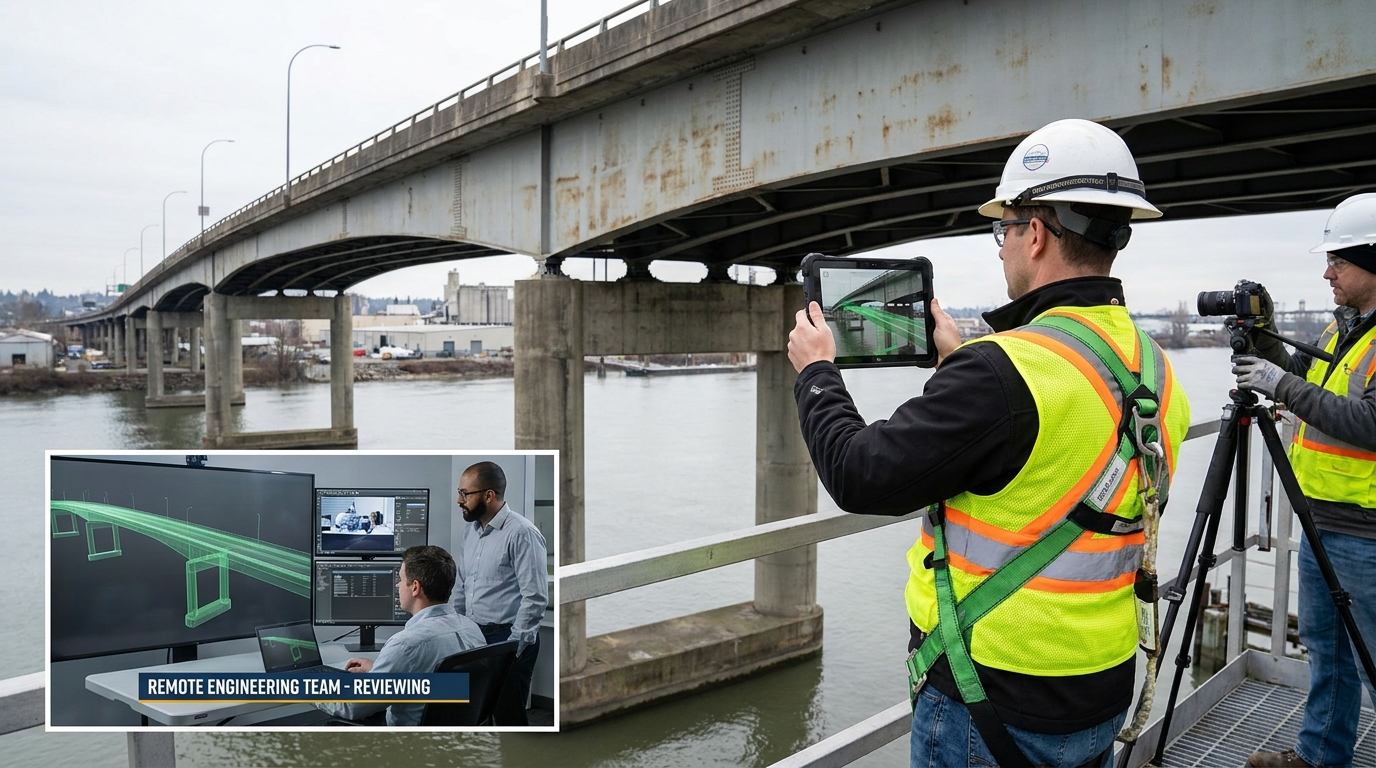
A strong North American example comes from researchers at the University of Waterloo, who used AR, VR, and AI in a bridge inspection system that allowed onsite and offsite inspectors to view the same hologram, interact with deficiencies, and produce more complete reports. That is a good example because it shows the technology being applied to a real workflow problem rather than a marketing exercise. Inspections are time sensitive, detail heavy, and often limited by access and staffing. If AR and VR can help teams share the same condition model and document findings more clearly, that creates direct operational value.
Remote collaboration is especially useful when specialist input is limited or travel is difficult. A structural consultant, fabricator, safety specialist, or owner representative does not always need to be physically on site if the digital environment is good enough to support decision making. This does not eliminate site visits, but it can reduce unnecessary delays between identifying a problem and getting the right people involved. On projects with multiple stakeholders, that speed matters.
There is a documentation advantage as well. If issues discovered in AR or VR are tied back to the model and tracked properly, the project team gets a stronger record of what was reviewed, what was found, and what was decided. That improves accountability and can help during turnover, claims review, and lessons learned. The key is making sure immersive reviews feed the actual project record instead of existing as separate one-off sessions.
How AR and VR Fit with BIM, 4D Scheduling, and Reality Capture
A common mistake is to talk about AR and VR as if they are stand-alone technologies. On real projects, they usually are not. Their value depends heavily on how well they connect to the systems the team already uses. In most practical workflows, AR and VR sit on top of BIM, 4D scheduling, reality capture, issue management, and sometimes digital twin or operations data.
BIM provides the geometry and information backbone. Without a coordinated model, there is not much useful content to display in AR or VR. 4D scheduling adds time-based logic, which is what makes safety reviews and sequencing simulations more meaningful. Reality capture, such as laser scanning and photogrammetry, helps compare what is actually built against what was planned. Issue tracking closes the loop by making sure observations become assigned actions instead of forgotten comments.
This integrated approach is where the strongest results tend to come from. If a team performs a VR constructability review, identifies an access issue, logs it into the coordination process, revises the model, and then uses AR in the field to confirm the corrected condition, that is a coherent workflow. Each tool supports the next step. By contrast, if a team runs an impressive immersive session but never links findings back to the project controls process, the value fades quickly.
It is also worth connecting this to prefabrication and modular work. Better digital coordination supports fabrication accuracy, sequencing, and site readiness. Since prefabrication relies on upstream certainty, immersive and field-based visualization can strengthen the handoff between design, manufacturing, and installation. Again, AR and VR are not the whole answer, but they can support the level of clarity prefabricated work demands.
What Industry Professionals Are Learning from Real Use Cases
The most credible stories in this space tend to come from firms that started small. Instead of trying to transform everything at once, they picked a narrow problem and measured whether the technology improved that workflow. That is usually where adoption succeeds. A contractor might begin with VR safety reviews for one major project, or an engineering team might use AR to support field verification in a particularly congested area. Once the team sees a clear benefit, it becomes easier to expand the use.
Industry guidance from Autodesk and project examples across North America point to the same lesson: teams get better results when AR and VR are tied to everyday needs such as design review, issue resolution, client communication, and inspection collaboration. The firms that struggle are often the ones chasing novelty instead of process improvement. If the internal goal is just to say the company is using cutting-edge technology, it usually does not last. If the goal is to reduce coordination errors or improve the quality of a safety review, the return is easier to defend.
Professionals in the field also tend to be realistic about what matters. They care less about the device and more about speed, clarity, comfort, and trust in the information. If a headset is cumbersome, if the model takes too long to load, or if the alignment is inconsistent, people will go back to what they know. On the other hand, if the tool helps answer a practical question in a few minutes and avoids a mistake, crews will usually make room for it.
The best technology on a jobsite is the one that gets used consistently because it helps people do the work better, faster, and with fewer surprises.
Common Misconceptions That Still Get in the Way
One misconception is that AR and VR are mainly for client presentations. That use is still there, but it is no longer the main story. The practical growth is happening in safety planning, constructability checks, inspections, field coordination, and shared model review. When people dismiss the technology as a visualization gimmick, they miss where the strongest operational value now sits.
Another misconception is that adoption requires a full metaverse-style transformation. In reality, many successful deployments are very focused. A company may use VR for safety reviews and nothing else at first. Another may use AR for field comparison on one type of installation. These smaller applications often produce the clearest return because they solve a defined problem with a measurable outcome.
There is also a tendency to think AR and VR can replace BIM or conventional project controls. They cannot. In most cases, they depend on those systems. If a model is unreliable, a schedule is weak, or issues are not tracked properly, immersive tools will not fix the underlying problem. They may even make it worse by creating a false sense of certainty.
Finally, some people assume that if a model looks good in VR, the project must be constructible. That is not how construction works. Constructability depends on more than visual appeal. It depends on access, sequence, tolerances, labor planning, temporary works, procurement realities, and field conditions. VR is valuable because it can reveal those issues early, not because it automatically removes them.
The Limits: What Still Has to Go Right for AR and VR to Deliver
For all the promise, AR and VR still come with real constraints. The first is model quality. If the model is not coordinated, not current, or not detailed enough for the intended use, the immersive experience will not be trustworthy. This is the same old construction lesson in a new form: bad input leads to bad output.
The second is change management. Construction teams are busy, and they do not have time for extra systems that create more work. Implementation has to be practical. People need to know when to use the tool, why it matters, and how it fits into the normal flow of coordination and site communication. If the workflow is vague, adoption usually fades after the first burst of enthusiasm.
Hardware comfort and usability also matter more than vendors sometimes admit. Long sessions in VR can be tiring. AR devices may be awkward in some site conditions. Battery life, field durability, visibility, and data loading all affect whether the tool is actually useful. These are not glamorous concerns, but they are the ones that determine daily use.
Then there is return on investment. Companies need a clear way to measure results. That does not always mean assigning a dollar value to every session, but it does mean tracking useful indicators such as fewer RFIs, fewer coordination clashes reaching the field, faster design decisions, shorter review cycles, or improved safety planning outcomes. Without that evidence, AR and VR remain easy targets when budgets tighten.
How Contractors Can Start Without Overcomplicating It
For companies considering AR or VR, the sensible approach is to start with one workflow that already causes pain. That could be congested coordination areas, recurring installation errors, safety planning for a high-risk project phase, or inspection collaboration across distance. The narrower the first use case, the easier it is to set expectations and measure whether the tool helped.
It also helps to choose a project with a strong model foundation and a team willing to participate. Technology pilot programs fail all the time because they are launched on a weak project with weak data and no clear owner. A better approach is to give the pilot a specific champion, define what success looks like, and connect it to an existing process rather than inventing a separate one.
A practical implementation path often looks like this:
- Choose one problem that has a real cost in time, rework, or confusion.
- Confirm that the project model and schedule are good enough to support the workflow.
- Select a small group of users who can give honest feedback from both office and field perspectives.
- Run the tool inside a live project process such as coordination review, safety planning, or field verification.
- Track simple performance indicators before and after use.
- Refine the workflow before expanding to other projects or departments.
This measured approach is usually more successful than buying hardware first and looking for a use later. In construction, technology earns trust by solving a specific problem reliably. Once it does that, adoption tends to spread on its own.
Where AR and VR Are Headed Next in Construction
The near future of AR and VR in construction is likely to be less about spectacle and more about workflow integration. That means tighter connections between immersive review, issue management, reality capture, and project controls. It also means better use of shared spatial models so people in different roles can review the same condition with less confusion. Autodesk investor materials around Workshop XR and similar product developments point in that direction, where immersive collaboration is being packaged for architecture, engineering, and construction workflows rather than treated as a novelty.
We are also likely to see more task-specific applications. Safety planning, remote inspection support, digital progress verification, owner walkthroughs, and handover visualization are all areas where targeted use can create value. That is a healthy sign. Mature technology in construction usually becomes boring in the best possible way. It stops being a headline and starts being part of the routine.
For Canada and the broader North American market, the timing makes sense. Housing delivery pressure, infrastructure demand, labor constraints, and cost control all push the industry toward tools that reduce uncertainty. AR and VR will not solve those structural challenges on their own. But if they help teams coordinate better, find issues earlier, and communicate more clearly, they can make a real contribution where it counts.
Final Thoughts
AR and VR are not transforming construction because they are futuristic. They are transforming construction because they are becoming useful. That distinction matters. Contractors and project teams do not need hype. They need tools that help them plan more clearly, build more safely, verify work more accurately, and communicate without wasting time.
The strongest use cases today are practical and grounded: immersive design review, virtual safety planning, field comparison to model intent, remote inspection collaboration, and better issue communication between office and site. None of these workflows replaces construction experience. In fact, they work best when paired with experienced people who know what to look for and what decisions matter.
If there is one takeaway, it is this: start with the problem, not the gadget. On a real project, the value of AR and VR comes from fewer surprises in the field, faster decisions among stakeholders, and better alignment between what was designed and what gets built. That is not science fiction. That is just good construction, supported by better tools.


No Comment! Be the first one.