


10 Simple Steps to Organize Your Home Office for Better Productivity and Well-Being
There is something deeply reassuring about walking into a home office that feels ready for you. The desk is clear, the chair is comfortable, the light is flattering rather than harsh, and everything you need is close by without making the room feel crowded. In that kind of space, work often feels less draining and more intentional. It becomes easier to settle in, begin the day with focus, and move through tasks without the constant friction of visual clutter or physical discomfort.
Table Of Content
- Why home office organization matters more than you think
- Step 1: Start by defining what your home office needs to do
- Step 2: Clear the room and edit with honesty
- Step 3: Create clear zones for the way you work
- Step 4: Build your setup around comfort and ergonomics
- Step 5: Keep only daily essentials on your desk
- Step 6: Use storage that hides visual noise but stays easy to reach
- Step 7: Tame papers and digital clutter at the same time
- Step 8: Manage cables, devices, and tech accessories
- Step 9: Add personal style in a way that supports focus
- Step 10: Create a daily reset and end-of-day routine
- Simple signs your home office is working for you
- Common mistakes to avoid when organizing a home office
- Bringing it all together
- Quick recap: the 10 simple steps
That matters more than ever because home offices now serve many different roles. For some people, this space supports a full-time remote job. For others, it functions as a hybrid work hub, a family command center, a planning corner, or a place to study, pay bills, and organize life. Statistics Canada has continued to show that while the share of people mostly working from home has declined from its peak, home-based work remains a significant part of modern life. That means many households still need office spaces that feel flexible, supportive, and easy to maintain.
A well-organized office is not simply about making a room look attractive. It is also about removing barriers that interrupt concentration and quietly increase stress. The World Health Organization has emphasized that healthier work environments can improve morale, motivation, productivity, and performance. In a home setting, that translates into practical choices such as better storage, thoughtful lighting, a chair that supports your body, and a workspace that feels calm enough to think clearly.
It is also helpful to let go of one common misconception. You do not need a large room, expensive furniture, or a magazine-perfect setup to create a productive office. What matters most is that the space supports the way you actually work and the way you want to feel while working. A beautiful office can absolutely inspire you, but beauty works best when it is paired with comfort, functionality, and ease.
In this guide, we will walk through 10 simple steps to organize your home office for better productivity and emotional well-being. These ideas are practical, realistic, and designed for real homes. They will help you create a workspace that feels polished, personal, and genuinely supportive from the first email of the morning to the last task of the day.
Why home office organization matters more than you think
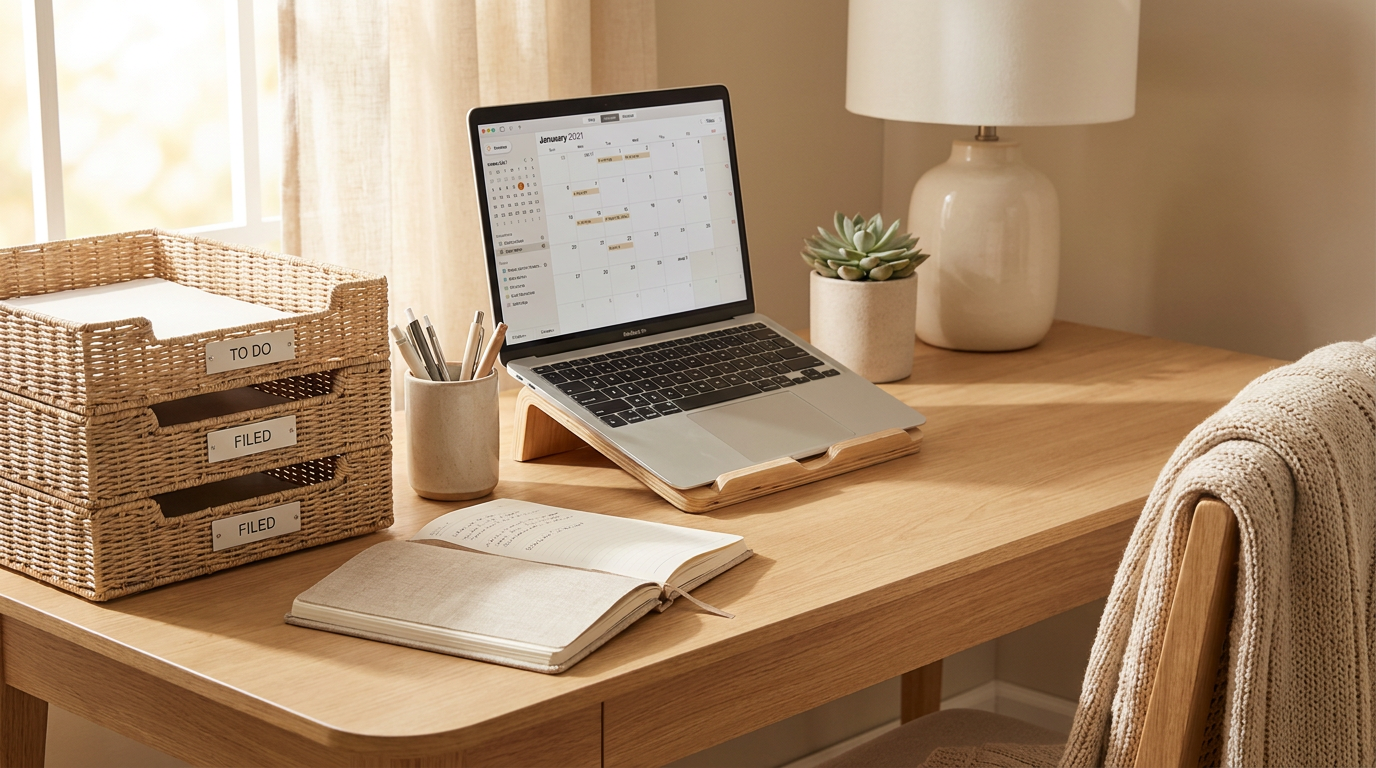
When people talk about productivity, they often focus on apps, routines, and time management techniques. Those tools can help, but your physical environment shapes your experience in quieter and more immediate ways. If you are constantly shifting papers to find space, adjusting your shoulders because your chair does not support you, or getting distracted by visual noise around you, your attention is being pulled in a dozen directions before the day has really begun.
Good organization lowers that friction. It makes the simple actions of your day easier, such as reaching for a charger, opening a notebook, taking a call, or transitioning from focused work to admin tasks. It also supports emotional ease. A room that feels chaotic can subtly signal unfinished business and pressure, while a room that feels settled can create a sense of control and readiness.
There is also a health and comfort side to this conversation. The Canadian Centre for Occupational Health and Safety notes that a home office should meet the same health and safety expectations as a traditional workplace where possible. The CDC and NIOSH define ergonomics as designing work tasks and demands to fit human capabilities, which helps reduce discomfort and injury risk. In everyday terms, this means that organization and setup go hand in hand. A tidy desk is helpful, but it is even more helpful when your monitor is at a comfortable height, your lighting reduces strain, and your most-used supplies are placed within easy reach.
Perhaps most importantly, an organized office helps create boundaries. Home can so easily blur work and rest. When your office has clear structure and a distinct identity, it becomes easier to step into work mode when you need to focus and step away when the day is done. That shift protects not just productivity, but also well-being.
A truly productive home office is not the one that looks the most impressive. It is the one that helps you feel clear, comfortable, and able to do your best work with less stress.
Step 1: Start by defining what your home office needs to do
Before you begin moving furniture or buying containers, pause and think about the purpose of your space. One of the most effective ways to organize any room is to understand how it is actually used. A home office for full-time remote work will have different needs than a small desk used for occasional budgeting, homework support, or creative projects. If you skip this step, you may end up organizing around an idealized version of your life rather than your real routines.
Take a moment to list the activities that regularly happen in your office. You might spend most of your time on a computer, or you may need space for writing by hand, meeting clients on video, storing files, wrapping shipments, or planning family schedules. If the room needs to support hybrid work, think about what changes on the days you are home. If the office doubles as a guest room or shared family area, note that too. Clarity here will shape every other decision.
It can help to group those activities into simple categories such as focus work, meetings, storage, paperwork, and creative tasks. Once you know which roles matter most, you can organize the room to support them. This is what designers sometimes call task zoning, but it can be very simple in practice. Your goal is to let the room flow naturally from one need to the next.
This step also helps reduce overbuying. You may not need a wall of office furniture. You may simply need a comfortable chair, a desk with enough surface area, one drawer for essentials, and a shelf for paperwork. The best office is not the one with the most pieces. It is the one with the right pieces.
Step 2: Clear the room and edit with honesty
Once you understand how the space should function, begin with a full reset. That does not necessarily mean emptying an entire room, but it does mean looking closely at what is taking up visual and physical space. Home offices often collect random items over time, including old paperwork, cords from outdated devices, dried pens, packaging, books you do not use, and decorative objects that no longer feel meaningful. These items may seem harmless, but together they can create a low-grade feeling of clutter that drains focus.
Try removing everything from the desk surface first. Then sort what remains into broad categories such as keep, relocate, recycle, shred, and discard. Be honest about what supports your current life. If you have not used it in a year and it is not legally or practically important, it may not deserve premium space in your office. Editing is often the fastest way to make a room feel lighter.
This process can be emotional because office clutter is often tied to postponed decisions, unfinished goals, or old identities. You may find training manuals from a past role, notebooks from a business idea you have outgrown, or piles of documents you have been meaning to sort. Instead of approaching this with guilt, approach it with curiosity. Ask what still serves you and what is simply weighing the room down.
As you edit, aim to protect open space. Empty space is not wasted space. It gives the eye a place to rest and lets the room feel breathable. In a home office, that sense of spaciousness can make a very real difference in how calm and focused you feel throughout the day.
Step 3: Create clear zones for the way you work
Once you have reduced clutter, the next step is to assign each area of the room a job. This is where organization starts to feel intentional rather than temporary. If your desk has to hold every single supply, paper, and device, it quickly becomes overwhelmed. When you create small, clear zones, you reduce that pressure and make it easier to keep the room in order.
Your main desk area should support your highest-focus tasks. Ideally, this zone holds only your daily essentials, such as your computer, keyboard, notebook, lamp, and perhaps one small tray for current papers. Nearby storage can support secondary functions like archived files, stationery, tech accessories, or printer supplies. If you use the room for planning or brainstorming, you might also create a separate surface or shelf for those materials so they do not spill into your main work zone.
This zoning becomes especially helpful in shared or multi-purpose spaces. If your office sits in a bedroom, living room, or family nook, define boundaries visually and practically. A rug, shelf, cabinet, or wall-mounted organizer can signal that one area is for work and another is for living. Those cues matter because they help your mind understand what mode you are in.
When things have a consistent home, tidying also becomes faster. You are no longer deciding where to put each item every evening. You are simply returning things to the zone where they belong. That small reduction in mental effort can make maintenance feel much easier over time.
Step 4: Build your setup around comfort and ergonomics
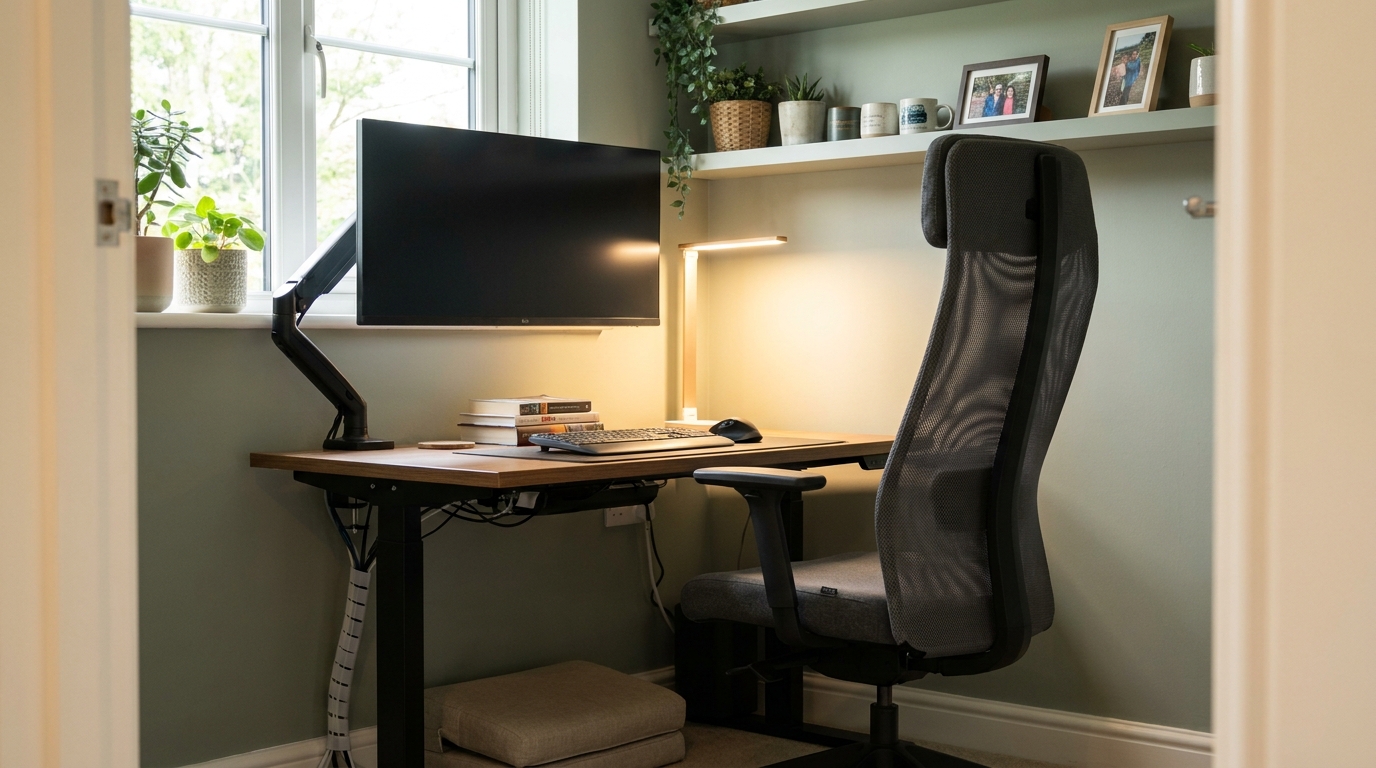
This is one of the most important steps in any home office, and it is often overlooked in favor of more visible design details. A beautiful office loses some of its value if it leaves you with neck tension, wrist strain, or tired eyes by midday. Good ergonomics are not only for corporate settings. They are essential in any space where you spend sustained time working.
Begin with your chair and desk relationship. Your chair should support your lower back and allow your feet to rest comfortably on the floor or on a footrest. Your elbows should sit in a relaxed position when typing, without your shoulders lifting or hunching. If your desk height is not ideal, look for small adjustments you can make, such as a keyboard tray, monitor riser, or supportive seat cushion.
Monitor placement matters as well. The top of your screen should generally sit around eye level so you are not constantly looking down and rounding your neck forward. If you use a laptop for long periods, a stand with a separate keyboard and mouse can make a big difference. The goal is not perfection. The goal is to create a setup that supports your body through ordinary hours of work.
Lighting is another major part of comfort. Natural light can improve mood and make a room feel more alive, but it should not create screen glare. Position your desk to benefit from daylight without fighting reflections all day. Add a lamp for softer task lighting so the room feels comfortable in the early morning or evening. These details may seem small, but they influence energy, focus, and overall ease.
Research around workplace health consistently points to the value of supportive physical environments. In a home office, ergonomics should be treated as part of organization, not a separate issue. The most productive room is one where both your materials and your body are well supported.
Step 5: Keep only daily essentials on your desk
The desk surface is the emotional center of your office. It is the first thing you see when you sit down and often the last thing you glance at when the day ends. Because of that, the way it looks and functions has an outsized effect on your mental state. A desk covered in unrelated items can make work feel noisy before you even begin.
A good rule is to let your desktop reflect only what you use every day. For most people, that includes a computer setup, one or two writing tools, a notebook, a water glass or mug, and a small tray for immediate paperwork. If you enjoy decorative touches, choose one or two elements that add warmth without creating visual clutter, such as a framed photo, a small plant, or a favorite candle that you light after work hours rather than during focused tasks.
Everything else should be stored nearby, not permanently displayed. This includes stacks of documents, backup chargers, extra stationery, unopened mail, and project supplies that are only occasionally needed. The fewer decisions your eyes have to process, the easier it is to settle into concentration. This is especially helpful for people who feel mentally overloaded by clutter.
If you worry that a minimal desk will feel sterile, remember that simplicity and personality can coexist. A calm desk does not have to be cold. Soft materials, warm wood, thoughtful color, and one or two personal details can make the space feel inviting while still protecting your attention.
Step 6: Use storage that hides visual noise but stays easy to reach
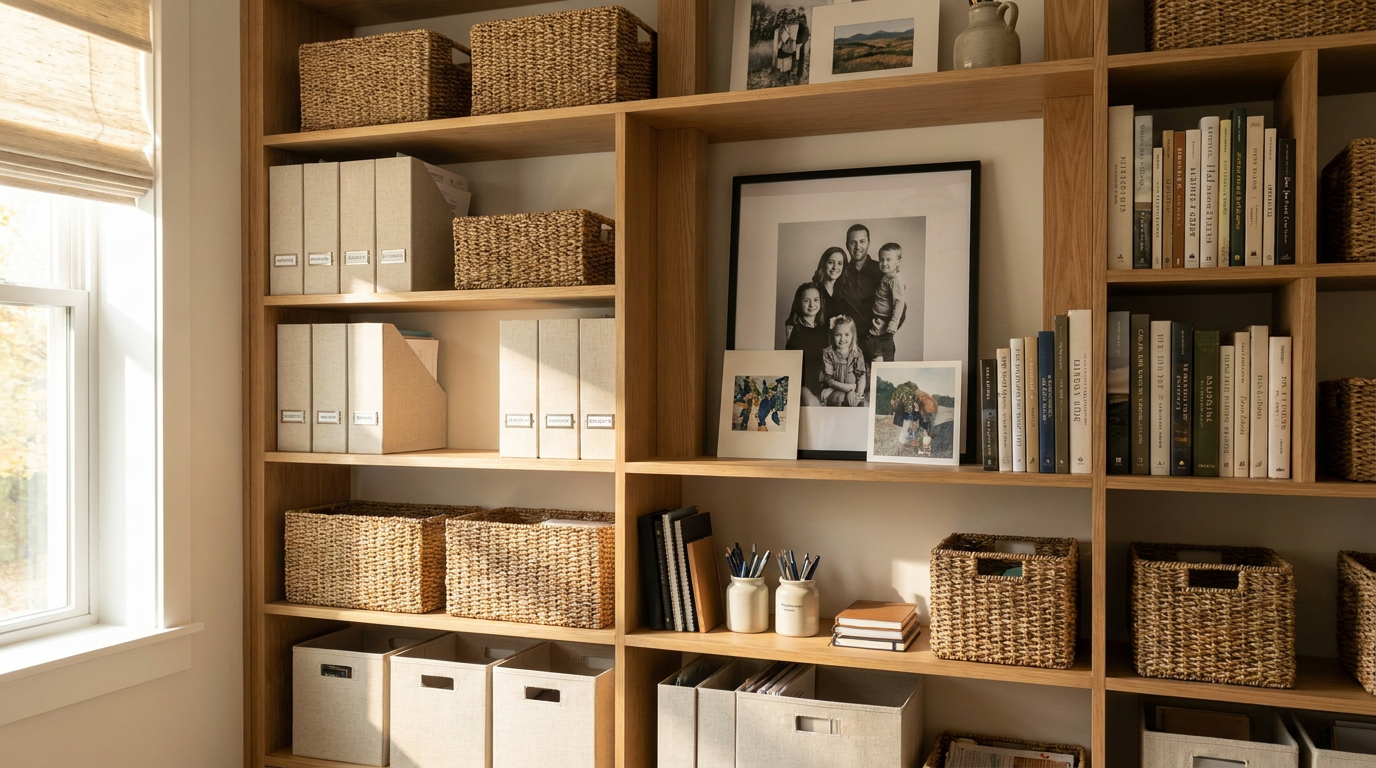
One reason home offices become messy again so quickly is that storage is either too visible or too inconvenient. Open shelves can look lovely, but if every supply is exposed, the room can start to feel busy even when things are technically put away. On the other hand, if storage is awkward to access, items tend to migrate back onto the desk. The sweet spot is a system that keeps necessities close while reducing visual noise.
Drawers, baskets, lidded boxes, file holders, and cabinets all have a place, depending on your needs. The key is to match the storage style to the item and the frequency of use. Daily supplies should be easy to grab without breaking your workflow. Items you use once a week can live slightly farther away. Long-term documents can be tucked into labeled files or archive boxes that do not interrupt the room visually.
Labeling helps more than many people expect. It removes the guesswork that often leads to clutter returning. Labels do not need to be loud or overly formal. In a polished home office, subtle labels on folders, drawer dividers, or storage bins can keep everything orderly without affecting the look of the room.
Try to store similar items together. Pens, chargers, notebooks, tech accessories, and paperwork each deserve their own category. Mixing unlike items often creates the kind of drawer chaos that makes simple tasks feel harder than they should. Thoughtful storage is not about perfection. It is about making your day run more smoothly.
Step 7: Tame papers and digital clutter at the same time
Many people focus on physical clutter and forget that digital clutter can feel just as distracting. A home office may look organized from across the room, yet still create daily frustration through piles of unsorted papers, a desktop crowded with files, and an inbox that feels impossible to manage. Because modern work moves between physical and digital spaces, both need attention.
For paper, create a very simple system with only a few categories. You might have one tray for urgent action items, one folder for pending paperwork, and one file area for documents that must be kept. Avoid keeping random paper piles on the desk out of habit. If a document matters, give it a defined place. If it does not, recycle or shred it promptly.
For digital organization, start with the same principle. Keep only active shortcuts visible on your desktop. Group files into clearly named folders that make sense to you now, not six months ago. Unsubscribe from newsletters you never read, archive old messages, and create a few simple inbox rules if that helps reduce overwhelm. You do not need an elaborate system. You need one that lowers friction when you search for what matters.
There is also an emotional benefit to this step. Unfinished paperwork and overflowing digital spaces create a subtle sense of mental drag. They keep important tasks in your peripheral vision, asking for attention at all hours. When both your paper flow and your digital life feel lighter, work tends to feel less heavy too.
Step 8: Manage cables, devices, and tech accessories
Even the most stylish office can quickly feel chaotic when cords are tangled and devices are scattered. Cable clutter is a common source of visual stress because it disrupts the clean lines of a room and gives the impression that nothing is fully settled. It can also create practical inconvenience when chargers go missing or you have to reach awkwardly behind furniture to plug things in.
Start by identifying which devices truly belong in your office. You may need a laptop, monitor, printer, phone charger, headphones, webcam, and task light. Everything else should be reconsidered. Once you know what stays, use simple tools such as cable clips, sleeves, ties, under-desk trays, or a small charging station to keep cords controlled and easy to access.
Place the most-used chargers in one dependable location. Store backup cables in a labeled pouch or drawer organizer rather than letting them drift across surfaces. If you work hybrid or travel between rooms, keep a small tech kit with only the essentials so you are not constantly moving loose accessories from place to place.
This step may sound cosmetic, but it improves workflow in very practical ways. It also supports a calmer visual experience. When tech is integrated neatly into the room, the office feels more intentional and less like a temporary command post.
Step 9: Add personal style in a way that supports focus
An organized office should not feel anonymous. One of the nicest things about working from home is that your environment can reflect your personality in a way many traditional workplaces cannot. That personal connection matters because it helps the room feel emotionally supportive, not just efficient. The goal is to create a space that feels like you at your best.
Think about the mood you want the room to create. You may want it to feel calm and airy, warm and layered, or crisp and energizing. Soft colors, natural materials, artwork, and a few meaningful objects can help shape that atmosphere. A plant can bring life to the room. Framed photos can make the space feel grounded. A beautiful lamp, woven basket, or textured rug can add comfort without taking over visually.
The key is restraint. Personal style should enhance focus, not compete with it. If every surface is styled and every wall is busy, the room can lose the restorative calm that makes home offices feel so good. A small collection of thoughtful pieces usually does more than a large collection of decorative items that ask for attention all at once.
This is also where you can make the room emotionally strategic. Choose items that subtly support the state of mind you want to enter when you sit down. That might be a favorite print that feels uplifting, a scent that helps you transition into work mode, or materials that feel soothing to touch. When your office reflects your identity, it can become easier to show up with confidence and clarity.
Step 10: Create a daily reset and end-of-day routine
Organization is not a one-time event. The home offices that stay calm over time are usually supported by tiny maintenance habits rather than large cleaning sessions. A daily reset prevents clutter from accumulating and helps the next workday begin more smoothly. It also creates a powerful psychological boundary between work and the rest of home life.
At the end of each day, take five to ten minutes to return your office to its baseline state. Put away loose papers, close out extra tabs, plug in your devices, clear dishes or cups, and reset the desk surface. If there is an important task waiting for tomorrow, leave a simple note or place the necessary materials in your action tray so you can begin without searching in the morning.
You can also build a gentle start-of-day ritual that makes the office feel welcoming. Open the blinds, turn on the lamp, fill your water glass, and review your top priorities before you dive into messages. These routines may sound simple, but they tell your brain that the workspace is supportive and under control. That sense of order reduces resistance and helps you begin with more ease.
For households where the office shares space with family life, this reset becomes especially valuable. It allows work materials to stay contained and keeps the room from bleeding into evenings and weekends. In that sense, organization supports not only productivity but also rest.
Simple signs your home office is working for you
Once your office is organized, pay attention to how the room feels in daily use. A successful setup usually reveals itself in small ways. You can find what you need quickly. Your shoulders feel less tense by afternoon. Starting work requires less mental effort. The room looks appealing enough that you do not avoid it, yet simple enough that it does not pull your attention away from the task at hand.
You may also notice emotional shifts. Perhaps you feel less frazzled in the morning or less resentful about unfinished tasks. Maybe your workday gains a little more rhythm because the room itself supports your habits. According to Statistics Canada, most new teleworkers reported accomplishing at least as much work per hour at home as they did in the office, and one reason some struggled was inadequate workspace quality. That finding is a useful reminder that productivity at home is not about discipline alone. Environment matters.
If something still feels off, that does not mean you failed. It usually means the space needs another small adjustment. Move the printer closer. Remove one more pile from the desk. Raise the monitor. Add softer lighting. Replace a decorative object with functional storage. Organization works best as an evolving practice, shaped by the realities of your life.
Common mistakes to avoid when organizing a home office
One common mistake is focusing only on appearance. A room can look tidy in a photo and still function poorly in real life. If your chair is uncomfortable, your supplies are hard to reach, or your lighting is tiring, the setup will eventually wear on you. Function should always support the final look.
Another mistake is overcomplicating the system. Too many containers, categories, or decorative organizers can create their own kind of clutter. If a system feels fussy, you are less likely to maintain it. Choose the simplest structure that makes your work easier.
It is also easy to copy someone else’s office without considering your own habits. A minimalist setup may be perfect for one person and frustrating for another who needs paper references nearby. A large storage wall may be useful for a consultant but unnecessary for someone who works mostly digitally. Let the room reflect your rhythm, not just a trend.
Finally, do not treat the office as separate from well-being. The World Health Organization has made clear that work environments affect stress and performance, and that includes the emotional atmosphere surrounding the work itself. A home office should help you feel supported, not merely contained.
Bringing it all together
Organizing a home office is really an act of care. It is a way of saying that your time, attention, comfort, and peace of mind deserve support. The most effective office is not always the most elaborate one. More often, it is the room that has been edited thoughtfully, arranged with intention, and shaped around the person who uses it every day.
When you define the purpose of the space, clear what no longer serves you, build in ergonomic comfort, reduce visual noise, and layer in personal style, your office becomes more than a workstation. It becomes a setting for focus, creativity, and steadier routines. It also becomes easier to protect boundaries between work and home, which is one of the most valuable forms of organization of all.
If you are not sure where to begin, start small. Clear the desk. Adjust the chair. Gather loose papers into one tray. Add one beautiful, calming element that makes the room feel more like your own. Then keep going step by step. Home office organization does not need to happen in a single weekend to make a real difference.
Over time, these simple changes can transform the way your workspace supports you. Work may still be demanding, and life at home may still be busy, but a calm and organized office can make both feel more manageable. And in a season when so many of us are balancing flexibility, productivity, and well-being under one roof, that is no small gift.
Quick recap: the 10 simple steps
- Define what your home office needs to do for your real life.
- Clear the space and edit clutter with honesty.
- Create zones for focus work, storage, paperwork, and planning.
- Build the setup around ergonomic comfort and supportive lighting.
- Keep only daily essentials on your desk surface.
- Use storage that reduces visual noise and stays easy to reach.
- Organize paper and digital clutter together.
- Manage cables, devices, and tech accessories neatly.
- Add personal style that supports focus and emotional ease.
- Create a daily reset routine to keep the space calm over time.
With those steps in place, your home office can become a more productive, more beautiful, and more restorative part of your home. That is the kind of organization that truly lasts.



No Comment! Be the first one.