



AI assistants are no longer niche software for early adopters or technical specialists. They have become part of the everyday digital environment, showing up in chat interfaces, search tools, office suites, customer platforms, phones, and smart home systems. For many people across North America, the shift has happened quickly. What felt experimental two years ago now feels increasingly normal, especially for writing, research, planning, summarization, scheduling, and personal organization.
Table Of Content
- Why AI assistants have moved into the mainstream
- How AI assistants are changing modern work
- Writing, drafting, and editing
- Research and summarization
- Planning, brainstorming, and knowledge work
- AI assistants at home: convenience over full automation
- Meal planning, shopping, and routines
- Learning, tutoring, and writing support
- Travel, planning, and personal projects
- What AI assistants do well, and what they do not
- Privacy, trust, and the need for guardrails
- The Canadian context: growing use, cautious adoption
- How new users can start using AI assistants safely and effectively
- A simple first month adoption plan
- Prompting tips that actually improve results
- Where AI assistants fit into the future of work and home
- Final thoughts
The most important thing to understand is that AI assistants are not transforming life because they can do everything. They are transforming life because they can do a surprising number of small, repetitive, high frequency tasks well enough to save time. That distinction matters. In practice, the biggest gains rarely come from fully handing over critical decisions. They come from reducing friction in work and home routines so people can focus their energy on judgment, communication, and follow through.
Recent data supports this shift from novelty to infrastructure. OpenAI has reported that consumer usage increasingly centers on practical tasks, with roughly three quarters of conversations focused on advice, information, or writing. By January 2026, more than a quarter of U.S. workers and 45% of workers with postgraduate degrees said they used ChatGPT for work. That level of adoption tells us something important. AI assistants are no longer confined to software teams or innovation labs. They are moving into mainstream professional and personal use.
This article takes a balanced look at what AI assistants actually do well, how they are changing both workplaces and households, what risks new users should understand, and how to start using them effectively. The goal is not hype. The goal is clarity. AI assistants can be powerful productivity multipliers, but their value depends on task selection, user judgment, and responsible habits.

Why AI assistants have moved into the mainstream
The first wave of public attention around AI assistants focused on novelty. People tested them with odd questions, clever prompts, and creative experiments. That phase mattered because it introduced the technology, but it did not fully explain why adoption would persist. What changed next was utility. Once people saw that AI could draft a difficult email, summarize a long document, turn rough notes into a cleaner outline, or help structure a plan in seconds, the use case became practical rather than entertaining.
Workplace pressure also played a major role. Many professionals are dealing with an overload of meetings, communication channels, document review, and context switching. Microsoft has framed this as the challenge of the “infinite workday,” where work spills across inboxes, calendars, chats, and after hours catch up. In that environment, even modest assistance can create measurable value. An AI assistant that cuts 20 minutes from a recurring task can have more impact than a flashy feature that is rarely used.
Broad access has accelerated the trend as well. AI assistants are now embedded directly into tools people already use, including email platforms, spreadsheets, word processors, search engines, note apps, and voice interfaces. That lowers the barrier to entry. Users no longer need to think of AI as a separate technology category. It becomes part of the workflow they already understand, which makes trial, habit formation, and regular use much more likely.
At the same time, adoption has spread beyond technical workers. Surveys show growing use among professionals in administration, education, marketing, operations, consulting, customer support, and many other fields. This matters because it changes the conversation. AI assistants are not just coding companions. They are increasingly language tools, planning tools, and coordination tools, which makes them relevant to almost any role involving information and communication.
How AI assistants are changing modern work
The clearest impact of AI in the workplace appears in tasks with defined inputs and outputs. If someone needs to summarize a transcript, draft a memo from notes, rewrite a paragraph for clarity, generate interview questions, or organize raw research into categories, an AI assistant can often provide a strong first pass. That first pass is valuable because most knowledge work has a hidden cost: starting. AI reduces that starting friction.
Pew Research found that among U.S. workers who use AI chatbots at work, 57% use them for research or finding information, 52% use them for editing written content, and 47% use them for drafting reports or documents. Those numbers align with what many organizations are seeing internally. The most common uses are not dramatic automation projects. They are everyday support tasks tied to reading, writing, and synthesis.
There is also a quality dimension, even if speed gets more attention. Pew found that 40% of worker chatbot users say these tools are very or extremely helpful for doing things faster, while 29% say they are highly helpful for improving quality. That difference is revealing. AI often delivers immediate time savings first, but quality improvements depend more on the user’s skill in guiding, reviewing, and refining output. In other words, the assistant becomes more useful as the human becomes more intentional.
Writing, drafting, and editing
Writing is one of the strongest use cases because so much professional communication is repetitive in structure even when it differs in content. An AI assistant can help draft status updates, summarize meeting outcomes, create proposal outlines, rewrite text for a different audience, or improve tone and grammar. It can also help people who know what they want to say but need help getting from rough ideas to a clearer draft.
That said, good writing still requires judgment. AI can produce generic language, flatten nuance, or introduce statements that sound polished but are not fully accurate. The best use pattern is to treat it as a drafting partner rather than a substitute author. Let it propose structure, phrasing, or options, then edit with intent. This is especially important for public facing content, executive communication, legal language, or anything tied to brand trust.
Research and summarization
Research support is another high value area, particularly when users need a fast orientation on a topic. AI assistants can help identify themes, explain terminology, compare frameworks, or extract key ideas from source material. For internal work, they are often useful for summarizing notes, transcripts, policy documents, or reports into shorter formats for teams that need the essentials quickly.
Still, there is a major caution here. AI assistants are not reliable fact checkers by default. The Government of Canada explicitly advises that public generative AI tools should not be used for fact checking or for legal and policy advice. This guidance is practical, not theoretical. AI models can hallucinate sources, omit context, or present outdated information confidently. Research workflows should therefore use AI for synthesis and orientation, while final claims, citations, and decisions should be verified against trusted sources.
Planning, brainstorming, and knowledge work
Many professionals use AI assistants as structured thinking partners. They can help break large projects into phases, generate options for campaign ideas, create interview guides, suggest workshop agendas, or turn scattered notes into a cleaner framework. The productivity benefit here is less about one perfect answer and more about momentum. When an assistant can generate several plausible paths forward, people spend less time staring at a blank page and more time evaluating possibilities.
This kind of use is particularly valuable for nontechnical workers because it does not require advanced software knowledge. The main skill is asking useful questions and refining follow up prompts. Over time, users learn that better context usually produces better output. A vague request creates generic content. A clear request with audience, purpose, constraints, and examples creates more usable results.
Practical rule: The best workplace use cases for AI assistants usually involve repetitive language tasks, summarization, first drafts, and structured idea generation. The weakest use cases are tasks that demand perfect factual accuracy, confidential data handling, or unreviewed external publication.
AI assistants at home: convenience over full automation
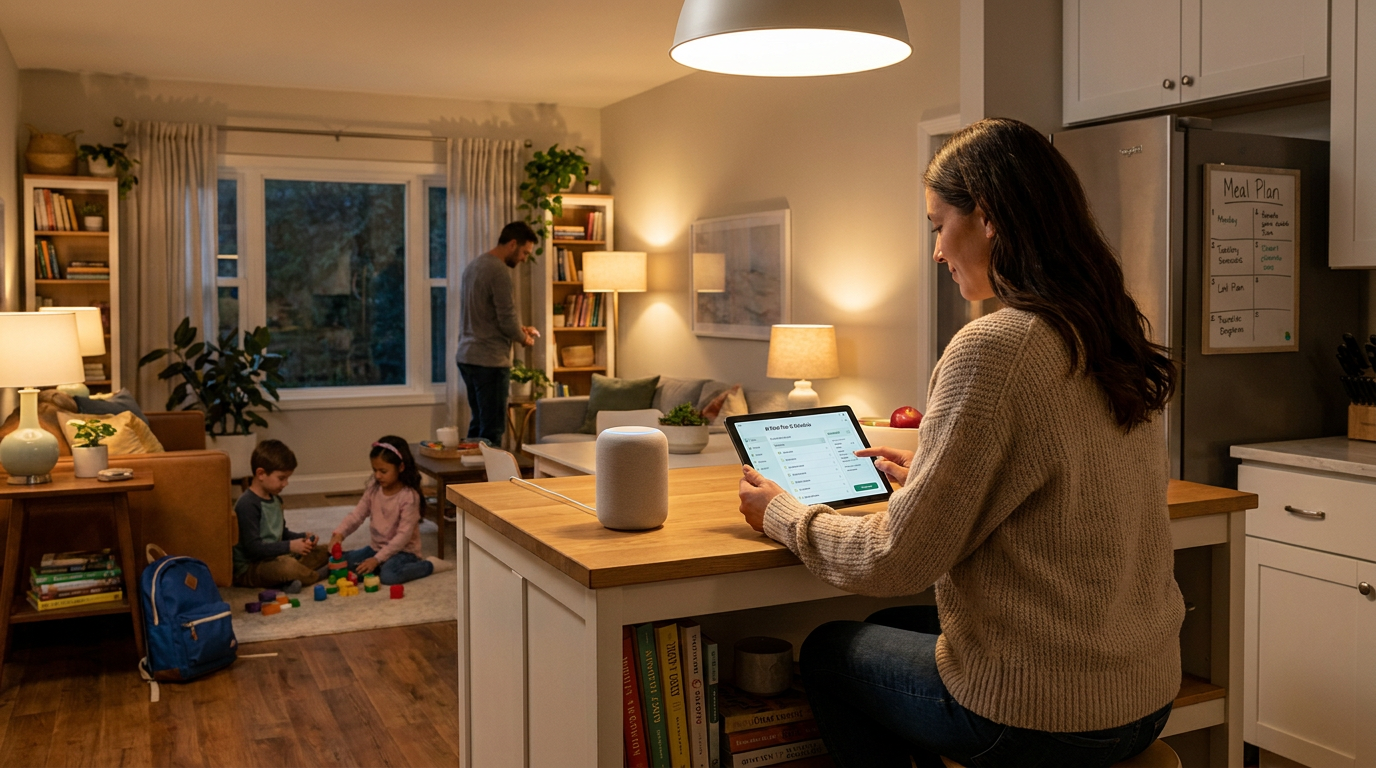
At home, the role of AI assistants is slightly different. The value is usually not about formal productivity metrics. It is about reducing mental load. Households run on dozens of small decisions every day, from what to cook to how to organize a trip, help a child with homework, create a shopping list, compare products, plan a weekly schedule, or remember what still needs to be done. AI assistants fit naturally into this environment because they are good at helping people organize, brainstorm, and simplify.
OpenAI’s consumer findings suggest that home use is broadening in exactly this direction. Personal projects, writing help, information lookup, and practical advice are now central use cases. This makes sense. People do not need AI to run every part of domestic life. They need it to make ordinary tasks less tedious and less fragmented.
Meal planning, shopping, and routines
One of the simplest home uses is meal planning. An AI assistant can suggest a week of dinners based on budget, dietary preferences, available ingredients, and time constraints. It can then turn that plan into a grocery list, offer substitutions, and help reduce waste by using ingredients across multiple meals. This is a good example of AI creating value through convenience rather than complexity.
The same pattern applies to routines and scheduling. Families can use an assistant to design morning checklists, weekend cleaning plans, or travel packing guides. People juggling work, caregiving, and home responsibilities often find that the assistant is less useful as an authority and more useful as a calm organizer. It can surface options quickly, which helps reduce decision fatigue.
Learning, tutoring, and writing support
AI assistants can also support learning, especially when used as explainers rather than answer machines. They can rephrase concepts, generate practice questions, simulate quizzes, or explain a topic at different levels of difficulty. For adults, this might mean learning a new software platform or understanding a financial term. For students, it might mean getting an alternative explanation of a science concept or building a study guide from class notes.
Here again, supervision matters. AI generated explanations can be incomplete or wrong. For children and teens in particular, AI should be framed as a study aid, not a replacement for instruction, source reading, or parental guidance. The healthiest model is to use it to support understanding and curiosity, then verify with trusted educational materials.
Travel, planning, and personal projects
Planning travel, events, and home projects are natural use cases because these tasks involve many moving pieces. An AI assistant can help compare itinerary options, draft a travel checklist, suggest a daily route, estimate what to pack for a weather forecast, or help structure a renovation planning list. People often find this useful because it compresses the early planning phase, which is usually the part with the most scattered tabs and fragmented notes.
Personal writing is another growing category. Users ask for help with resumes, cover letters, speeches, invitations, bios, social posts, and journal prompts. This reflects a broader truth about AI assistants: a large share of modern life involves turning thoughts into words. Anything that makes that transition easier can feel immediately valuable.
What AI assistants do well, and what they do not
It is helpful to separate strong use cases from weak ones. AI assistants are often very good at transformation tasks. They can shorten, expand, reformat, rephrase, classify, summarize, and brainstorm. They are less reliable when the task depends on current verified facts, high stakes interpretation, or context they do not actually have. This distinction can save users from disappointment and prevent avoidable mistakes.
One common misconception is that if an AI assistant sounds confident, it must be correct. This is not how these systems work. They generate plausible language based on patterns, not certainty. That means the tone can appear polished even when the content contains errors. New users often overtrust confidence because the interface feels conversational and fluent. The solution is simple but important: judge outputs by evidence and fit, not by tone.
Another misconception is that using AI is the same as fully automating a task. In reality, most everyday value comes from assisted work. The assistant helps draft, summarize, organize, or suggest. The human reviews, decides, edits, and takes responsibility. This human in the loop model is increasingly emphasized by both workplace guidance and policy frameworks because it reflects how these tools function best in real settings.
AI also does not automatically save time. For a straightforward task, it may reduce effort dramatically. For a complex or poorly defined task, it can create review overhead, force multiple revisions, or produce misleading output that takes longer to correct. Productivity gains come from matching the tool to the task. The simpler and more repeatable the task, the more likely the assistant is to help efficiently.
Privacy, trust, and the need for guardrails
As adoption rises, privacy and governance become more important. The Government of Canada advises that public generative AI tools should not receive personal, protected, or classified information. It also advises against using them for legal or policy advice and for fact checking. This guidance is highly relevant beyond government because the principle applies widely. If users do not fully understand where their data goes, how outputs are generated, or what the terms allow, they should assume caution is necessary.
For households, this means not entering sensitive health details, financial account information, identity documents, or private family data into public tools unless the privacy protections are clearly understood. For workplaces, it means being careful with client information, internal strategy, unreleased plans, HR records, regulated data, and proprietary documents. The convenience of a chat box should not override basic data hygiene.
Trust also depends on oversight. NIST’s AI Risk Management Framework and related programs emphasize testing, monitoring, and risk measurement for AI systems. The broader lesson for ordinary users is straightforward. AI outputs should be reviewed, especially when they influence external communication, customer experience, compliance, safety, or reputation. Blind trust is not an efficiency strategy. It is a risk strategy, and usually a poor one.

The Canadian context: growing use, cautious adoption
Canada offers an especially useful lens on AI assistants because adoption is rising, but public trust and institutional norms are still evolving. CIRA reported that 16% of Canadians said they had used a generative AI chatbot in the previous 12 months in one survey. That figure suggests meaningful growth, but it also shows that usage is not yet universal. In practical terms, this means many people are still in the awareness or trial stage rather than the advanced workflow stage.
This matters because user education is still a major requirement. Many people understand that AI exists, but they do not yet know when to use it, how to prompt it well, or where the risks are. That is why the best onboarding does not begin with technical theory. It begins with simple, concrete scenarios such as drafting a meeting summary, planning meals for the week, or creating a travel checklist. Familiar tasks build confidence faster than abstract promises.
Canada’s policy environment also reflects a more governance oriented approach. Public sector guidance, AI registers, and broader AI strategy work signal an effort to formalize responsible use while adoption expands. This is useful for businesses and households alike because it reinforces a mature framing. AI assistants should be treated as practical tools that require boundaries, not magic systems that can be trusted without review.
How new users can start using AI assistants safely and effectively
For new users, the best approach is to start small. Do not begin with your most sensitive information or your most important decisions. Begin with high frequency, low risk tasks that already consume time and attention. This helps users experience value quickly while keeping the downside limited if the output needs correction.
A strong starting point is to use AI for transformation tasks. Ask it to summarize notes, rewrite text for clarity, create a first draft from your outline, compare options, or turn ideas into a checklist. These are ideal beginner use cases because the user already understands the input and can evaluate the output. That makes review easier and trust more grounded.
A simple first month adoption plan
If someone wants to integrate AI thoughtfully, it helps to follow a phased approach rather than trying to use it for everything at once. The first goal should be familiarity. The second should be consistency. Only after that should users experiment with more advanced workflows.
- Week one: Use the assistant for rewriting, summarizing, and organizing information you already understand well. This builds a baseline for judging output quality.
- Week two: Try planning tasks such as meeting agendas, grocery lists, travel checklists, or project outlines. Focus on speed and convenience.
- Week three: Use it for brainstorming, idea expansion, and alternative phrasing. Compare whether it helps you think more clearly or simply adds noise.
- Week four: Create a repeatable routine for one or two tasks where the tool consistently saves time, then write down your own guardrails for privacy and verification.
This kind of slow adoption matters because AI works best when it becomes part of a defined workflow. Random use creates inconsistent results. Repeated use on similar tasks helps users understand what the assistant is good at, what prompts work best, and when human review needs to be more rigorous.
Prompting tips that actually improve results
Many disappointing AI experiences come from vague instructions. A prompt like “write this better” gives the model very little structure. A better prompt specifies audience, purpose, format, tone, length, and any constraints. For example, asking an assistant to “rewrite this email for a client in a professional and friendly tone, under 150 words, with a clear next step” usually produces a much stronger result.
Context also matters. If you provide the objective, background, and what success looks like, the assistant has more to work with. Users should also ask for alternatives. Instead of accepting the first answer, it is often useful to request three versions, a shorter version, a version for a different audience, or a list of assumptions behind the response. This turns the interaction from passive consumption into active collaboration.
Another useful habit is to ask the assistant to identify uncertainty. For instance, users can say, “Tell me what in this answer should be verified independently.” This does not eliminate errors, but it encourages a more critical workflow. AI is most productive when it speeds up thinking without replacing scrutiny.
Where AI assistants fit into the future of work and home
Looking ahead, AI assistants will likely become less visible as standalone tools and more embedded as an intelligence layer across digital systems. We are already seeing the move from single chatbots to copilots and agents integrated into office software, search, customer workflows, and connected devices. Over time, users may stop asking whether they are using AI at all. They will simply expect software to help them draft, find, summarize, and coordinate more intelligently.
Voice, multimodal input, and multilingual support will expand this further. For home use, that means AI assistants may become more natural for accessibility, household coordination, and everyday planning across devices. For work, it means less jumping between applications and more context aware support inside the flow of tasks. The biggest winners will likely be users and organizations that combine convenience with clear governance rather than chasing automation for its own sake.
That future still depends on trust. If users repeatedly encounter errors, privacy concerns, or unclear accountability, adoption will slow or become superficial. If tools become more transparent, better integrated, and easier to control, they will become more durable. The long term story is not just about smarter models. It is about better habits, better interfaces, and better boundaries.
Final thoughts
AI assistants are transforming modern work and home life not because they are perfect, but because they are useful in the right contexts. They reduce friction in tasks that consume time every day: drafting, summarizing, organizing, planning, rewriting, and brainstorming. In both offices and households, that support can create real value by freeing people to focus on decisions, relationships, and priorities that still require human judgment.
The strongest case for AI is practical, not dramatic. It is about helping a manager turn notes into a clear update, helping a parent plan meals for a busy week, helping a student reframe a difficult concept, or helping a team move faster through repetitive communication work. These gains may sound modest in isolation, but across days and weeks they add up.
The key is balanced adoption. Start with low risk tasks. Protect personal and sensitive information. Verify factual claims. Treat AI as decision support rather than decision replacement. Users who approach the technology with curiosity and discipline tend to get the most from it. That is likely to remain true as AI assistants become more capable, more embedded, and more central to how people work and live.
For most people, the question is no longer whether AI assistants matter. The better question is how to use them in ways that are safe, efficient, and genuinely helpful. The answer begins with small tasks, clear guardrails, and a simple principle: let the machine handle more of the routine, while the human remains responsible for what matters most.


No Comment! Be the first one.