



Construction software used to sound like something reserved for big commercial builders with deep budgets and dedicated IT teams. That is no longer true. Today, the market includes everything from simple renovation planning apps for homeowners to full cloud platforms that connect design, estimating, scheduling, field reporting, document control, and financial management for contractors and developers. The practical question is not whether construction software exists for your situation. The real question is which type of software fits your project, your team, and the way you actually work.
Table Of Content
- Why Construction Software Matters More Than It Used To
- What Construction Software Actually Includes
- Software for Homeowners
- Software for Contractors and Construction Pros
- The Core Categories Every Beginner Should Understand
- Takeoff and Estimating Software
- Scheduling Software
- Project Management and Document Control
- RFIs, Submittals, and Change Workflows
- Field Reporting, Punch Lists, and Mobile Collaboration
- Accounting, Budgeting, and Job Costing
- BIM Coordination and Model Based Workflows
- The Practical Benefits of Construction Software
- The Challenges Beginners Need to Hear Honestly
- How Homeowners Should Choose Software
- How Contractors and Pros Should Choose Software
- Implementation Is a Change Process, Not a Purchase
- Common Misconceptions That Cause Bad Decisions
- Where the Market Is Headed
- A Practical Framework for Getting Started
- Final Thoughts
Construction software is a broad category of digital tools that support planning, estimating, scheduling, project management, field coordination, document control, and financial tracking on a building project. Rather than one single product, it is best understood as a stack: takeoff and estimating tools for pricing, scheduling software for sequencing work, project management platforms for centralizing drawings and communication, field reporting apps for site updates, accounting systems for job costing, and BIM tools for model-based coordination on complex jobs. Homeowners typically need a simple version focused on budget tracking, schedule visibility, and file sharing, while contractors and larger firms need connected systems that link estimating, scheduling, field data, and accounting into one source of truth. The right combination depends on project size, team structure, and which workflow problem is costing the most time or money.
That matters because construction has a coordination problem by nature. There are drawings, revisions, materials, approvals, schedules, budgets, site conditions, and dozens of small decisions that can either keep work moving or slow it down. In Canada and across North America, firms are under pressure to improve productivity while dealing with labor shortages, housing demand, infrastructure needs, and rising costs. Statistics Canada has noted that productivity growth in construction has lagged other business sectors over the last 20 years, which helps explain why the industry is looking harder at digital tools that can remove waste and tighten up workflows.
For beginners, the software landscape can feel crowded fast. One company sells estimating tools, another focuses on field reporting, another pushes BIM coordination, and another promises to be an all in one platform. Some products are built for homeowners who want a simple renovation dashboard. Others are built for general contractors managing hundreds of RFIs, submittals, and schedule updates. If you do not know the categories, it is easy to buy too much software, buy the wrong software, or expect software to solve problems that are really process problems.
This guide breaks the subject down in plain terms. You will see what construction software actually includes, where it helps most, where it can disappoint, and how to choose something that improves the work rather than adding one more layer of admin. The goal is practical understanding. Good software should support clear decisions, cleaner communication, and fewer avoidable mistakes. It should not make a straightforward job more complicated than it needs to be.
Construction software is not one product. It is a stack of tools, and the right stack depends on your role, project size, and biggest workflow problems.
Autodesk and Procore are good examples of where the market has been headed. Large platforms now emphasize connected workflows, cloud access, and integrated data across design, planning, building, and operations rather than isolated desktop programs. Autodesk states that its Autodesk Construction Cloud, now tied into Autodesk Forma, supports workflows across design, planning, building, and operations and offers more than 400 prebuilt integrations. Procore has also continued to grow as an enterprise platform, reporting 2,710 organic customers contributing more than $100,000 in annual recurring revenue as of the end of 2025. That tells you two things at once. First, large firms are investing heavily in connected systems. Second, software adoption is no longer a side topic. It is part of how the industry is trying to run better projects.
Why Construction Software Matters More Than It Used To
If you have ever seen a project get delayed because one trade was working from an old drawing set, you already understand one of the strongest cases for software. Version control is a quiet source of expensive mistakes. When everyone is relying on printed plans, scattered email chains, text messages, or files saved in different places, the odds of confusion go up. Cloud based tools are popular largely because they help keep teams on one current set of information. That alone can prevent rework.
There is also a broader industry reason. The National Research Council of Canada is running its Construction Sector Digitalization and Productivity Challenge program from 2023 to 2029 to support digital technology solutions that can increase innovation and productivity in construction. The NRC is also involved in efforts to digitalize national model codes and the National Master Construction Specification into machine readable and BIM compatible formats. That may sound technical, but the practical meaning is simple. Over time, permitting, compliance, and project information management are becoming more software friendly, not less.
Market pressure is pushing in the same direction. KPMG reported that nine in 10 Canadian construction leaders believe the industry must move quickly to embrace advanced technologies, and more than half said they are prioritizing prefabrication and AI driven software. Prefabrication, modular construction, and digital fabrication all depend on tighter coordination and cleaner information flow. You cannot fabricate accurately off vague field notes and disconnected spreadsheets. Software becomes part of the production system.
North America accounted for 37.6 percent of the global architecture, engineering, and construction software market in 2025, which shows just how significant this region is in shaping the category. That does not mean every company should rush into enterprise software. It means the ecosystem is mature enough that beginners have choices, and those choices now affect competitiveness, client experience, and project control.
What Construction Software Actually Includes
One common misunderstanding is thinking construction software is a single category. In practice, it covers a group of tools that support different parts of a project lifecycle. Some are used before pricing is finalized. Some are used during construction. Some stay useful after handover for operations and maintenance. A homeowner managing one kitchen renovation and a commercial general contractor managing six active sites will not need the same system.
At a high level, construction software often falls into several practical categories. These include planning and design tools, takeoff and estimating software, scheduling software, project management platforms, document control systems, RFI and submittal workflows, field reporting and daily logs, punch list and closeout tools, accounting and job costing systems, and BIM coordination tools. Some products specialize in one area. Others try to bring many of those functions into a single connected environment.
That is why the word best needs caution. The best tool for a homeowner may be a simple app for budget tracking, file sharing, and change order visibility. The best tool for a remodeler may be an estimating platform tied to invoicing and client communication. The best tool for a larger contractor may be one that integrates submittals, RFIs, site photos, logs, schedules, drawing updates, and accounting data. Context matters more than brand familiarity.
Software for Homeowners
Homeowners usually do not need a heavy duty construction management platform. They need clarity. The most useful tools for them tend to focus on visual planning, budget tracking, schedule awareness, contractor communication, and centralized file storage. If a homeowner can see the scope, understand the sequence, review selections, track changes, and compare budget against actual spending, they are already better positioned than many people who manage renovations through texts and a folder full of receipts.
For example, a renovation planning app can help a homeowner organize finish selections, appliance dimensions, room photos, and contractor documents in one place. A shared schedule can clarify when demolition, rough ins, inspections, drywall, and finish work are expected. A simple budget dashboard can also make change orders more visible, which is important because cost overruns often come from many small decisions rather than one major surprise.

The main benefit for homeowners is that software can reduce uncertainty. It does not remove risk from construction, but it can make the process less opaque. A homeowner who sees current drawings, approved selections, payment stages, and schedule updates is less likely to be surprised by timing or cost shifts. That makes conversations with contractors more focused and less emotional.
Software for Contractors and Construction Pros
Professionals need more than visibility. They need workflow control. That includes clean handoffs from estimating to execution, fast access to the current drawing set, organized RFIs and submittals, field issue tracking, labor and production reporting, and financial visibility across the job. Even a small contractor benefits from software that cuts duplicate entry and reduces the chance that key information gets buried in a text thread.
Larger firms often need a common data environment that acts as a central source of truth for project information. This may include drawing versions, site photos, inspection records, daily reports, change events, meeting minutes, and closeout documents. It may also tie into accounting or ERP systems so job costs and billing stay aligned with what is actually happening in the field. Without that connection, project teams can end up managing from one set of information while finance works from another.
Field crews, superintendents, and subcontractors often care less about dashboards than about speed and practicality. They want to open the current drawing on a phone or tablet, mark an issue, attach a photo, answer a question, and keep moving. That is why mobile first field tools remain important. On a real job site, if software is too slow or too clumsy, people stop using it and go back to paper, phone calls, or screenshots.
The Core Categories Every Beginner Should Understand
Takeoff and Estimating Software
Takeoff and estimating tools help users measure quantities from drawings and build cost estimates more consistently. For professionals, this can save time and reduce pricing errors compared with manual methods. It also makes it easier to reuse assemblies, labor assumptions, and material costs from one project to the next. For smaller builders and trades, even a basic estimating system can improve how bids are prepared and documented.
Homeowners will not usually run takeoffs themselves, but they benefit when their contractor uses a disciplined estimating process. Estimates become easier to explain, and scope gaps are more likely to be caught early. That does not guarantee the lowest price, but it can support a more reliable one. In construction, a cheap number built on weak assumptions rarely stays cheap for long.
Scheduling Software
Scheduling software ranges from simple task calendars to detailed critical path schedules used on larger projects. The point is not to make a chart that looks impressive. The point is to understand sequence, dependencies, float, and the likely effect of delays. If cabinets are late, flooring may be delayed. If inspections slip, drywall might not start on time. A good schedule shows those relationships clearly.
For homeowners, a simple milestone schedule is often enough. For contractors, scheduling can become a real management tool when updates are tied to field conditions and procurement status. AI assisted scheduling features are becoming more common, but beginners should understand that software can suggest adjustments without replacing judgment. You still need someone who knows the work well enough to tell whether the logic is realistic.
Project Management and Document Control
This is where many cloud platforms do their most valuable work. Project management software centralizes drawings, specifications, meeting notes, photos, tasks, change tracking, and communication threads. Document control is especially important because construction runs on current information. If the plumber has revision 3, the electrician has revision 4, and the framer is using a print from last week, coordination will suffer.
Connected cloud systems solve part of that problem by keeping documents in one controlled place with permission settings and version history. Autodesk has leaned into this model, emphasizing integrated data and broad workflows across planning, building, and operations. For many teams, the practical benefit is not glamour. It is simply that people stop hunting for the latest file.
RFIs, Submittals, and Change Workflows
Requests for information and submittals are routine parts of commercial work and increasingly useful on complex residential projects as well. Software helps route questions, track status, document approvals, and preserve a record of what was asked and answered. That matters when there is a dispute about who knew what and when. Memory fades. Good records do not.
Change management is just as important. A homeowner may ask to move a wall or upgrade finishes. A contractor may encounter an unforeseen condition behind existing walls. Software can help record the change, show the cost impact, and track approval before the work proceeds. That process is not about bureaucracy for its own sake. It is about protecting relationships by making decisions visible.
Field Reporting, Punch Lists, and Mobile Collaboration
Daily logs, site photos, safety observations, issue tracking, and punch lists all fit here. These tools matter because the site is where plans meet reality. Conditions shift, work gets installed, and quality issues need to be captured while they are still easy to address. A foreman or superintendent should be able to log progress quickly, not spend an hour every evening recreating the day from memory.
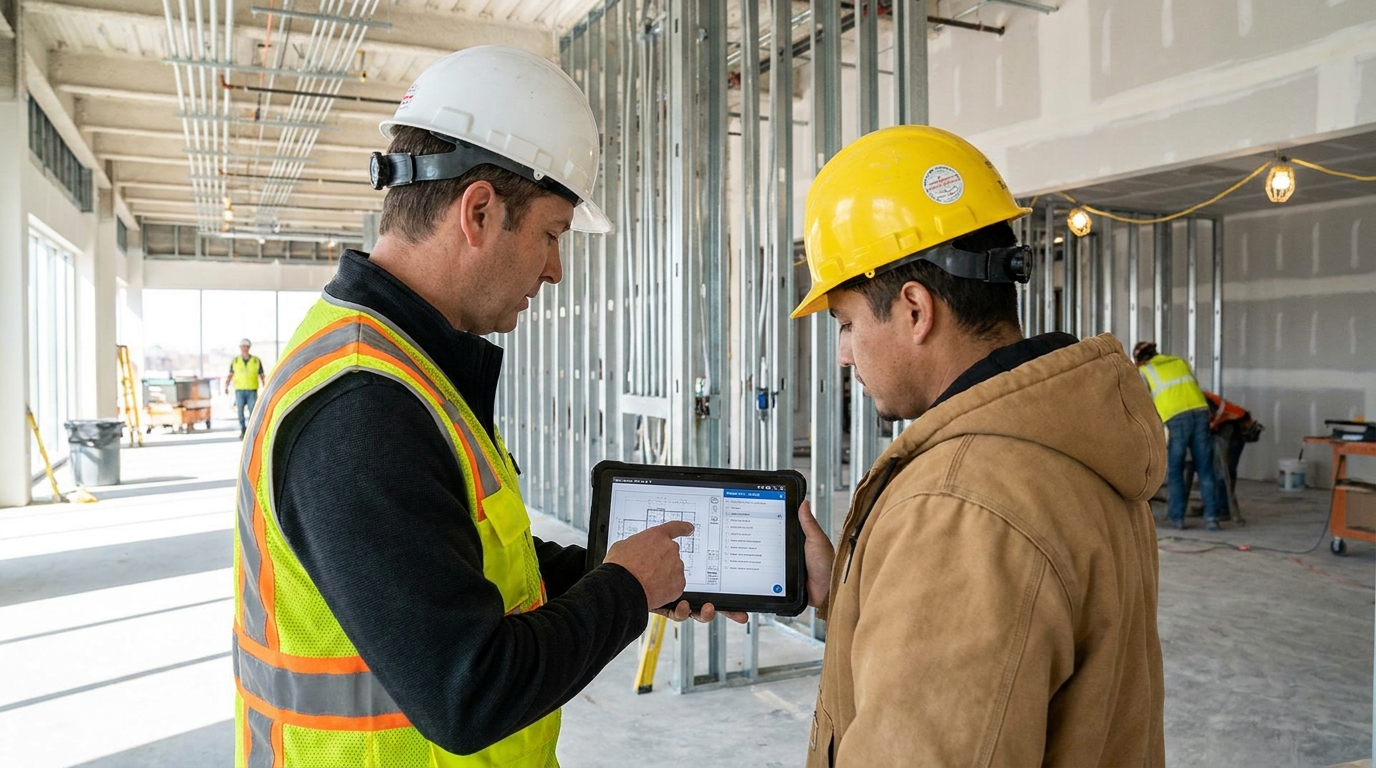
Mobile collaboration is one of the strongest arguments for modern construction software. Crews can view current drawings, attach photos to issues, comment on site conditions, and close out punch items directly from the field. That reduces lag and improves accountability. It also creates a stronger project record for quality assurance, warranty follow up, and final turnover.
Accounting, Budgeting, and Job Costing
Many project problems are not caused by bad craftsmanship. They come from weak cost tracking. Construction accounting tools help users monitor commitments, invoices, cost codes, progress billings, payroll impacts, and margin performance. A contractor can be busy and still lose money if job cost reporting is late or incomplete. Good budgeting software brings that reality into view earlier.
Homeowners need a simpler version of the same discipline. Even if they are using a lightweight tool or spreadsheet based app, they should track allowances, approved changes, deposits, and actual payments against the working budget. Renovation budgets often drift because decisions are made one at a time without anyone checking the cumulative effect. Software makes that harder to ignore.
BIM Coordination and Model Based Workflows
Building Information Modeling, or BIM, is often confused with construction software as a whole. It is really one part of the wider technology landscape. BIM focuses on model based information management. In practical terms, it supports design coordination, clash detection, quantity information, and increasingly stronger connections to planning, fabrication, and operations. It is especially useful on complex projects where many systems need to fit together before installation starts.
Beginners should not assume they need BIM just because it is widely discussed. A homeowner renovating a bathroom probably does not. A design build team coordinating structure, mechanical systems, and prefabricated assemblies may benefit a great deal. The point is fit for purpose. BIM is powerful when project complexity justifies the effort and when the team is set up to use model information properly.
The Practical Benefits of Construction Software
The best reason to use construction software is not trend chasing. It is that certain tools solve repeatable problems. The first major benefit is stronger version control. When current drawings, specifications, and files live in one place, teams are less likely to build from outdated information. That alone can prevent costly rework and awkward blame shifting.
The second benefit is better visibility into cost and schedule. Project teams make better decisions when they can see what is late, what is approved, what is outstanding, and where the budget is heading. Software does not eliminate surprises, but it can surface them sooner. Earlier visibility means more options for correction.
The third benefit is faster communication with a cleaner record. Phone calls and texts will always have a place on live projects, but they are weak systems of record. Software can organize tasks, comments, approvals, and attachments in a way that supports accountability. If a question was asked, answered, and tied to a drawing or photo, the team can find it again later.
The fourth benefit is reduced administrative waste when software is adopted consistently. Daily logs, issue lists, meeting notes, and change workflows become less painful when templates and mobile entry are used properly. The key phrase is adopted consistently. Software only saves time when people actually use the process it was built to support.
The fifth benefit is collaboration across distance. Designers, owners, site teams, suppliers, and consultants can work from a shared environment without everyone being physically present. That matters even more now that remote review, distributed teams, and hybrid work are common. Construction is still physical work, but project information does not need to stay trapped in the trailer or office.
The Challenges Beginners Need to Hear Honestly
Software vendors naturally lead with benefits. That is fine, but beginners also need the difficult side stated plainly. Construction software has learning curves. Even user friendly systems require setup, habits, permissions, naming standards, and training. If a company buys a platform and assumes everyone will figure it out on the fly, adoption will be uneven at best.
Subscription cost is another real issue. A tool may look affordable at first, but total cost can rise once you add licenses, implementation support, integrations, and training time. Small firms and homeowners should be disciplined here. If the problem is simple, a simple tool may be the better answer. All in one platforms are not always the smartest buy.
Data migration and integration gaps cause plenty of frustration too. Many businesses already have spreadsheets, accounting systems, file storage habits, and legacy documents. Moving that information into a new platform takes effort. If the software does not connect well with other tools you rely on, people may end up doing duplicate work. Autodesk promotes more than 400 prebuilt integrations for exactly this reason. Integration is not a luxury anymore. It is part of whether software fits real operations.
Resistance from crews and project teams is also common, and it should not be dismissed as stubbornness. Sometimes the software truly is clunky. Sometimes it is being rolled out without practical input from the field. And sometimes experienced tradespeople are right to be skeptical of systems that add admin without helping production. Good implementation respects the craft. It shows users how the tool makes their day easier, not just how it helps management collect data.
Cybersecurity is another concern people skip too quickly. Cloud access can improve collaboration and version control, but it also introduces permission management, account security, and vendor dependence considerations. Canadian research and industry commentary have noted that cyber risk and firm size can affect technology uptake. That does not mean cloud tools should be avoided. It means they should be chosen and managed responsibly.
How Homeowners Should Choose Software
If you are a homeowner planning a renovation or custom build, keep your software expectations practical. You do not need an enterprise platform just to feel organized. Start by asking what information is hardest to keep straight right now. Is it the budget, the timeline, finish selections, signed documents, or communication with the contractor? Your answer should guide the tool.
For most homeowners, the best software choice will do a few things clearly. It should centralize files, make schedule milestones visible, track spending and changes, and support clean communication. It should also be simple enough that you will actually use it weekly. If the interface feels like a contractor back office system and you only need renovation visibility, it is probably too much.
Ask your contractor what they already use. In many cases, the easiest path is to plug into the system the builder has adopted, as long as it gives you enough transparency. A shared portal for selections, approvals, photos, payment requests, and schedule updates can reduce confusion on both sides. The strongest homeowner software is often the software that improves the working relationship, not the software with the longest feature list.
How Contractors and Pros Should Choose Software
Contractors should start with the pain point that costs them the most time or money. It may be inconsistent estimating, poor drawing control, slow submittals, weak field reporting, or disconnected accounting. Do not begin with features. Begin with process failure. The best software decision is usually the one that fixes a known bottleneck first.
Smaller contractors often do better with focused tools than with a giant platform rolled out too early. A good estimating system, a solid field documentation app, or a clean schedule and file sharing workflow can produce real gains without overwhelming the team. As operations mature, more integrations and broader platforms may make sense. The sequence matters.
Larger firms should pay close attention to interoperability, permissions, mobile usability, and implementation support. The software must work for office staff and field teams, and it must support the level of reporting the business actually needs. If project managers love the platform but supers avoid it, the rollout is incomplete. If the field likes it but accounting cannot trust the data, the value is limited. Connected workflows only matter when the connections hold up in daily use.
Implementation Is a Change Process, Not a Purchase
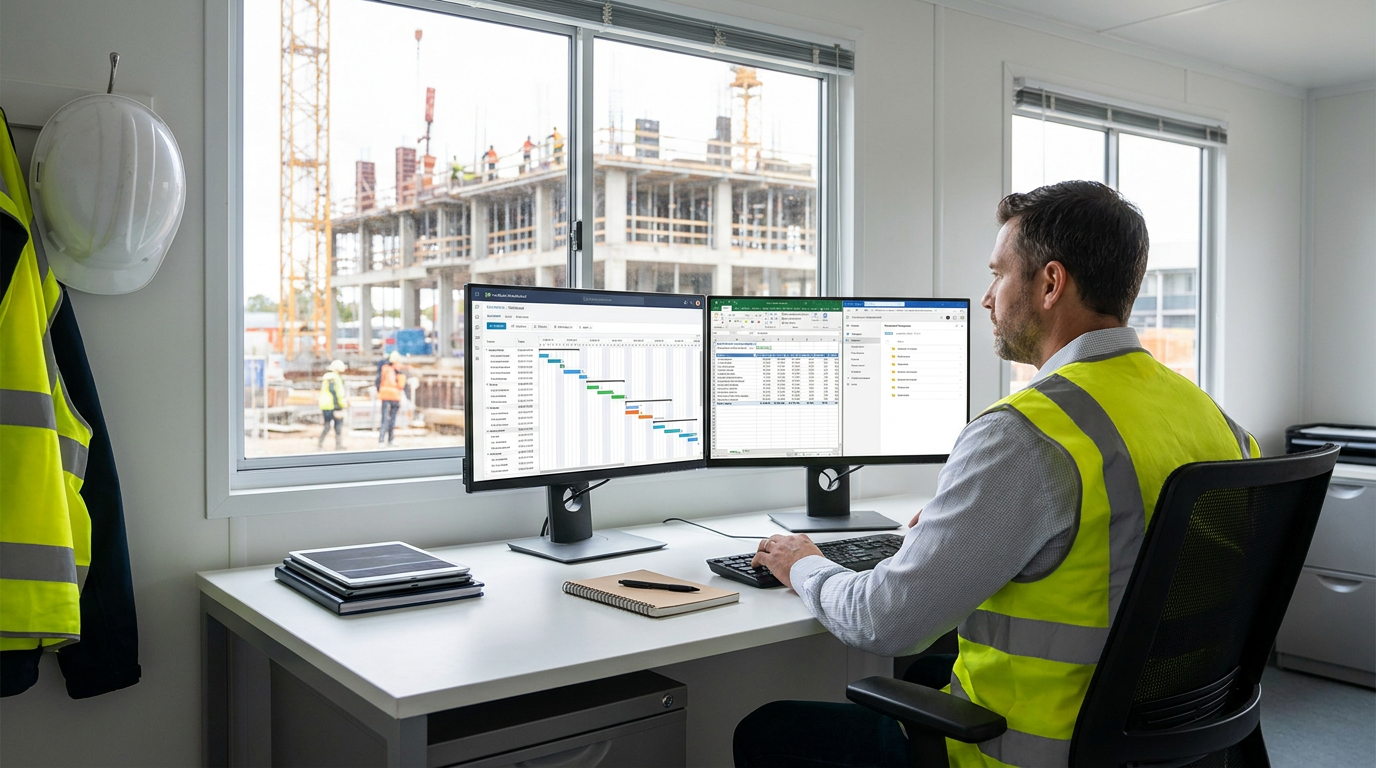
This is where many software decisions go wrong. Buying a platform is easy compared with changing habits. A tool only works when naming standards are set, permissions are managed, responsibilities are assigned, and teams know which communication belongs in the system versus email, text, or phone. In other words, implementation is operational work.
A practical rollout usually starts small. Pick one or two workflow problems and solve them well. That might mean drawing control and daily logs, or estimating and job costing, or homeowner communication and change approvals. Train the people involved, set expectations, and measure whether the tool is actually reducing confusion or saving time. Then expand if it proves itself.
This step by step approach aligns with how digital adoption is being encouraged more broadly in the industry. The NRC’s push around digitalization is not really about technology for its own sake. It is about productivity, consistency, and better information flow. The same logic applies at company level. Fit for purpose beats flashy but underused software every time.
Common Misconceptions That Cause Bad Decisions
One misconception is that construction software is only for large contractors. In reality, small firms and homeowners can get strong value from simple, affordable tools if those tools address a real problem. Another misconception is that software automatically improves results. It does not. Outcomes depend on setup, user adoption, training, and whether the workflow itself makes sense.
A third misconception is that BIM and construction management software are the same thing. They overlap in some workflows, but they are not identical. BIM is model centered. Construction software is broader and can include estimating, scheduling, field reporting, financials, and collaboration. Confusing the two leads some teams to buy specialized model tools when their main issue is document control or communication.
A fourth misconception is that cloud tools are always easier and safer than local systems. Cloud platforms offer strong advantages for collaboration and version control, but they still require good security practices, thoughtful permissions, and trust in the vendor’s ecosystem. Finally, all in one does not always mean better. Many smaller teams succeed with a focused tool that solves one problem cleanly instead of a giant platform they only use at ten percent capacity.
Where the Market Is Headed
The direction is fairly clear. Construction software is moving toward connected workflows that join design, preconstruction, field execution, and operations in one data environment. Autodesk’s move around Autodesk Forma reflects that shift, with more emphasis on continuity across project phases. AI assisted features are also becoming more common, especially in scheduling suggestions, document search, issue tracking, and information retrieval.
At the same time, public sector and research initiatives in Canada are pushing machine readable codes, BIM compatible data structures, and digital compliance pathways. Those changes could eventually make permitting and regulatory coordination more efficient, although that transition will take time. The important point for beginners is that software is becoming more closely tied to how construction information is created, shared, checked, and approved.
There will still be room for both specialized point solutions and broad platforms. Not every company needs a giant ecosystem. Not every project should run on disconnected apps either. The likely future is a mix of tools connected through better integrations, clearer standards, and stronger common data environments.
A Practical Framework for Getting Started
If you are unsure where to begin, keep it simple. Define the problem first. List the handoffs or recurring frustrations that create cost, delay, or confusion. Then choose a tool category, not a brand, that addresses that problem directly. After that, compare products based on ease of use, mobile access, reporting, integrations, and support.
- Identify your biggest workflow problem. It might be budget drift, file chaos, drawing revisions, or weak field updates.
- Choose the right software category. Do not buy BIM software if your real issue is homeowner communication or job costing.
- Match the tool to project size and user skill. A lightweight renovation app and an enterprise project platform solve very different problems.
- Test usability with real users. Have the people who will use it every day try core tasks before you commit.
- Plan implementation. Set file standards, user roles, communication rules, and training expectations.
- Measure results. Look for fewer mistakes, faster responses, cleaner records, and better budget or schedule visibility.
This process sounds basic, but basic discipline is exactly what helps software work. Construction already has enough moving parts. The tool should reduce friction, not create another source of uncertainty.
Final Thoughts
Construction software is no longer a niche side topic. It sits closer and closer to the center of how projects are planned, priced, coordinated, built, and documented. For homeowners, the right tool can make a renovation or custom build feel more transparent and manageable. For contractors and professionals, the right tool can tighten communication, improve cost and schedule visibility, support field execution, and reduce expensive rework.
Still, software is not magic. It will not fix bad scope definition, weak leadership, or poor craftsmanship. What it can do is support better habits with cleaner information and stronger records. That is valuable in any market, but especially in one under pressure to build more efficiently and with fewer mistakes.
If you remember one thing from this guide, let it be this: choose software based on the work, not the hype. Start with the problem, pick the category that fits, and implement it in a way that respects how people actually build. When that part is done well, construction software becomes what it should be in the first place, a practical tool that helps good work happen more consistently.



No Comment! Be the first one.